This time last week, i was banging on about the rules of the add-on cards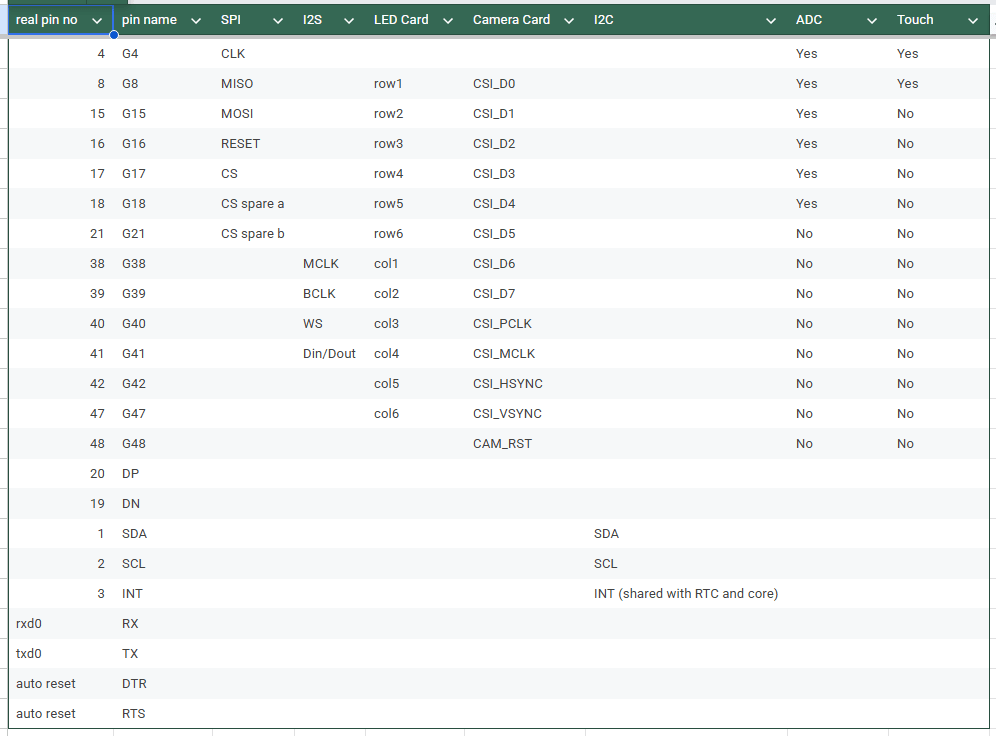 Now that the rules are ‘set’ I thought its best to get some cards sorted!! Now that the rules are ‘set’ I thought its best to get some cards sorted!!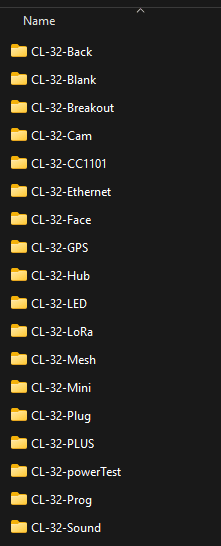 The folder is starting to look quite full!! There are a couple that i started last time but never finished, and some new ones in thereSome of the folders there are not actually add-on cards. CL-32-Face and CL-32-Back are the front and back of the device, CL-32-powerTest was my initial test board for the new power system we have now, and the CL-32-Prog is a way to tap in to the UPDI port on the core MCU for firmware shenanigans. CL-32-Mini is actually a silly idea I had and not an add-on board at all!! CL-32-PLUS seems to be a random second copy of the LED boardFirst on that list then is CL-32-Blank. This is actually a base for starting a new add-on board, and you can actually grab a copy and have a play yourself!! The card is pretty simple, you cant make the board any bigger, and you cant add components to the back side of the board, but other than that its fair game!! If you know your way round KiCad, feel free to grab the board and go crazy with it!!Next on the list is CL-32-Breakout This was an early board on the design table. The idea was to have the i/o pins and power pins arranged round the edge of the card, and a pile of unconnected pads in the middle. The idea behind this card was to let you solder components onto the center pads, and you can use it kinda like a permanent breadboard. For some reason the legends are missing from the 3d render, but you get the idea. The spacing is super tight, so its probably only for the pro hackers, but it could be quite handy!! 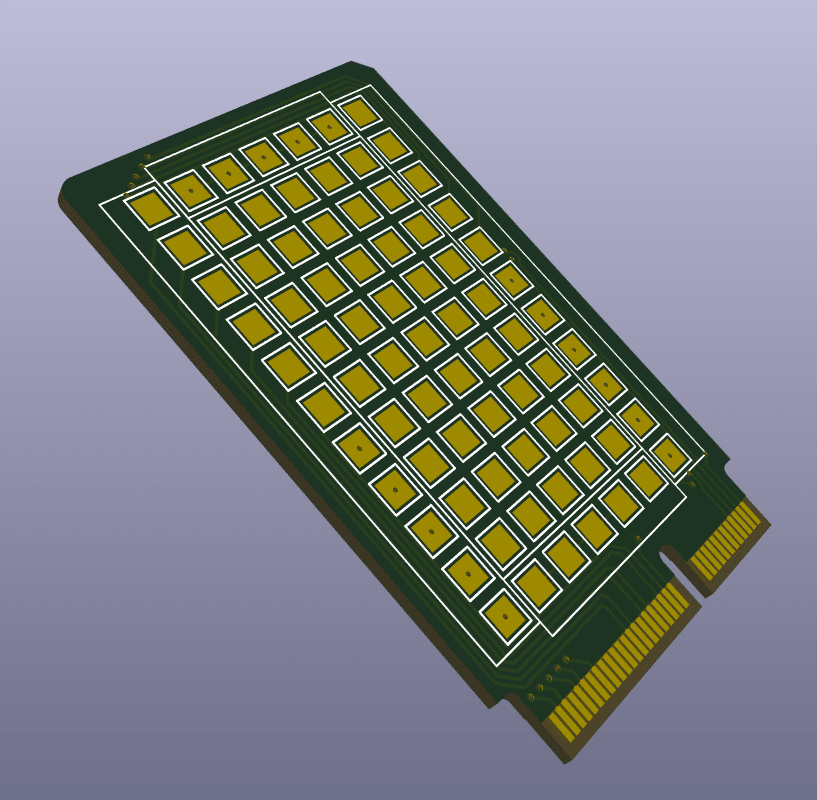 Next up is CL-32-Cam This is an older one, and I wasnt sure it would be possible. The ESP32-CAM board is really fun, so I wanted to bring that fun to CL-32. The ov2640 camera module needs many pins, but there are just enough to have a chance of working. This post about the latest SolarOS update got me finally assembling a board to test, but it seems that there are some errors on the board. Hopefully I can fix it though, it is a worthy addition!! 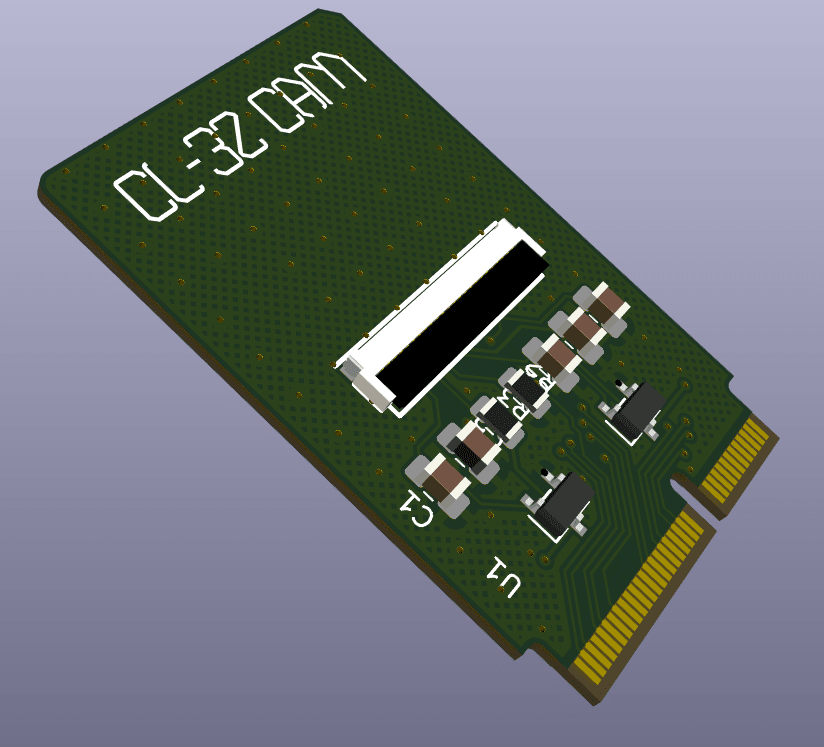 The CL-32-CC1101 card is one of the first ones I made It didnt get very far in the design (it still has the eeprom that I have since removed) but the idea is to let you use this card for messing with radio signals. The CC1101 chip offers sub 1Ghz wireless communications, so should allow your CL-32 to be able to do most of the things that a flipper zero can do!! The baked in antenna that the back PCB has, includes an antenna that shoud work with this card, so you wouldnt need an antenna sticking out. I need to circle back to this one, it will be super handy 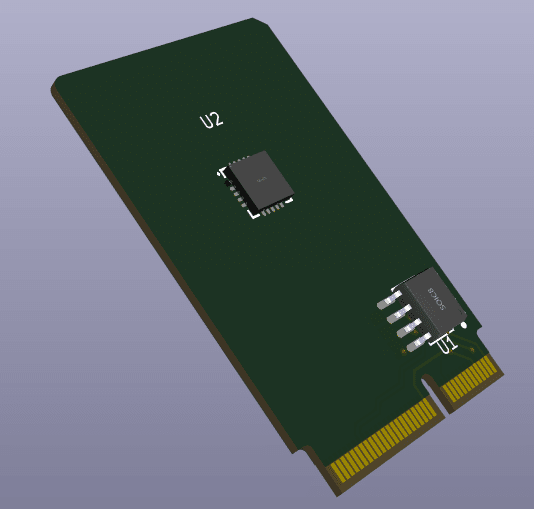 CL-32-Ethernet is a fun one I got an email the other day (Hey Payton) asking if there was an ethernet module. I had kinda thought about it, but it never got much further than that. I thing right angle socket will be needed so that it can actually fit on the card, and there is just about space for the W5500 chip. It wouldnt be very pocketable, but it would be good for network engineers to be able to ‘jack in’ to a network for testing 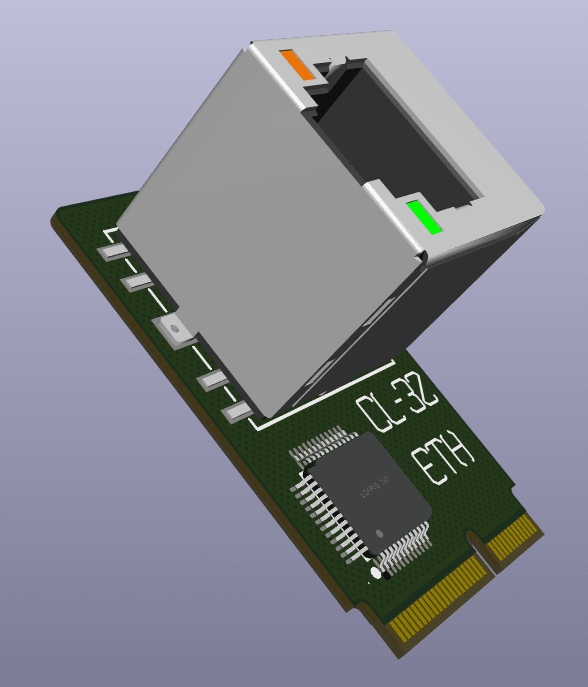 CL-32-GPS does exactly what you think It lets you pop a tiny GPS module on your CL-32. I had originally though that a GPS module would be good for learning how to deal with large data streams as part of programming lessons 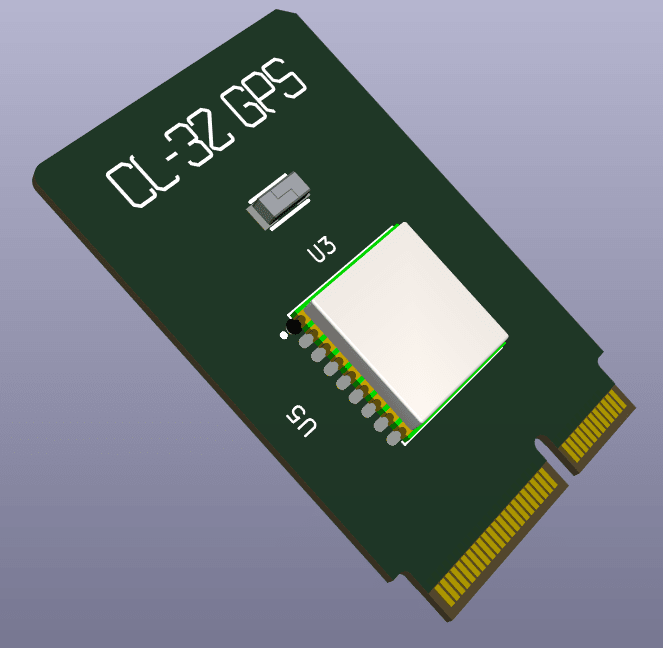 CL-32-Hub you might remember from last week It will let you mash together a few cards for fun experiments. In no way pocketable, but useful none the less!! 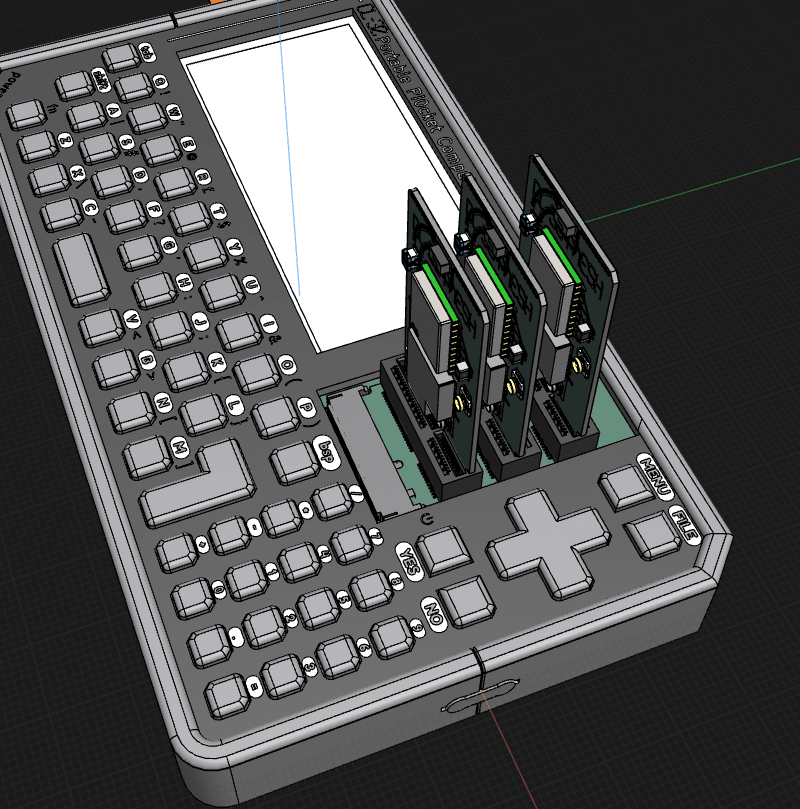 CL-32-LED is one you have all seen Just a simple array of LEDs to play with 🙂 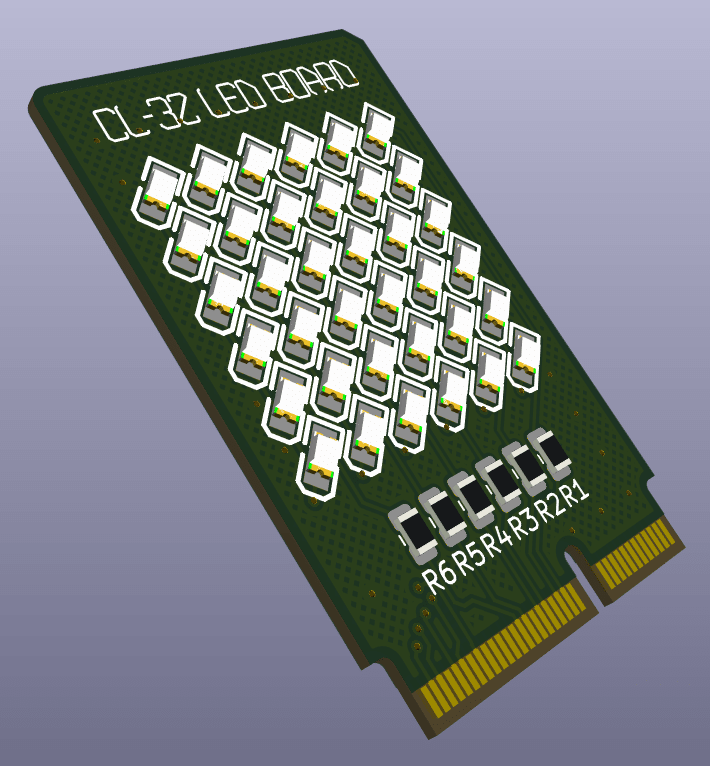 CL-32-LoRa is a basic LoRa card If you want to use your CL-32 for your favorite mesh network, but you dont need GPS, then this is your card!! By default it pipes the antenna connection to the back PCB of the device for use with the baked in antenna, but you can change that if you need something better!! 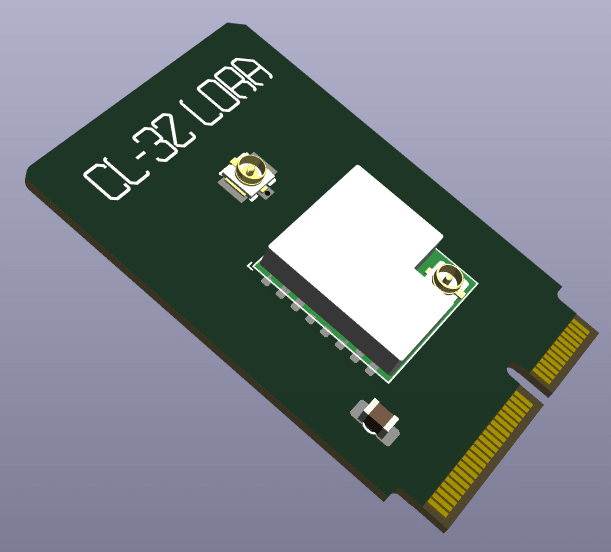 The CL-32-Mesh card takes this further You sometimes need LoRa and GPS combined!! dont worry, I got you!! It takes the best bits of the LoRa card and the GPS card and squishes them onto one card 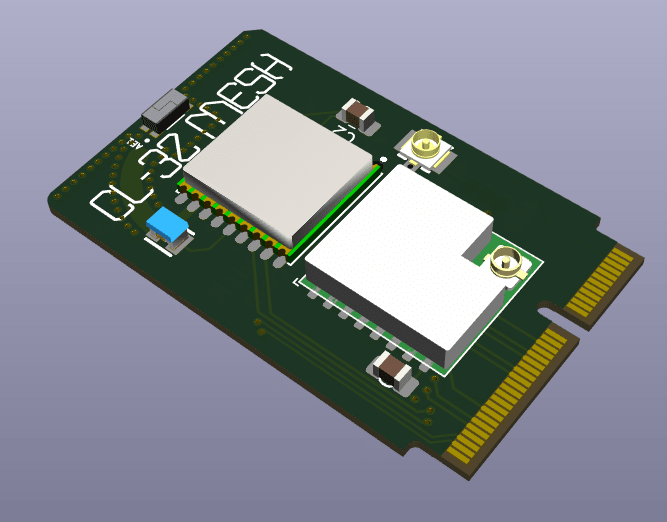 CL-32-Plug is one for the makers Taking the idea of CL-32-Breakout, but making it a bit safer, easier to use, and less permanent. All of the available i/o pins are broken out into nice standard pin headers. This means you can use any old jumper wires to connect extra things to your CL-32. Its a bit of a tight squeeze, but should be nice and easy to use 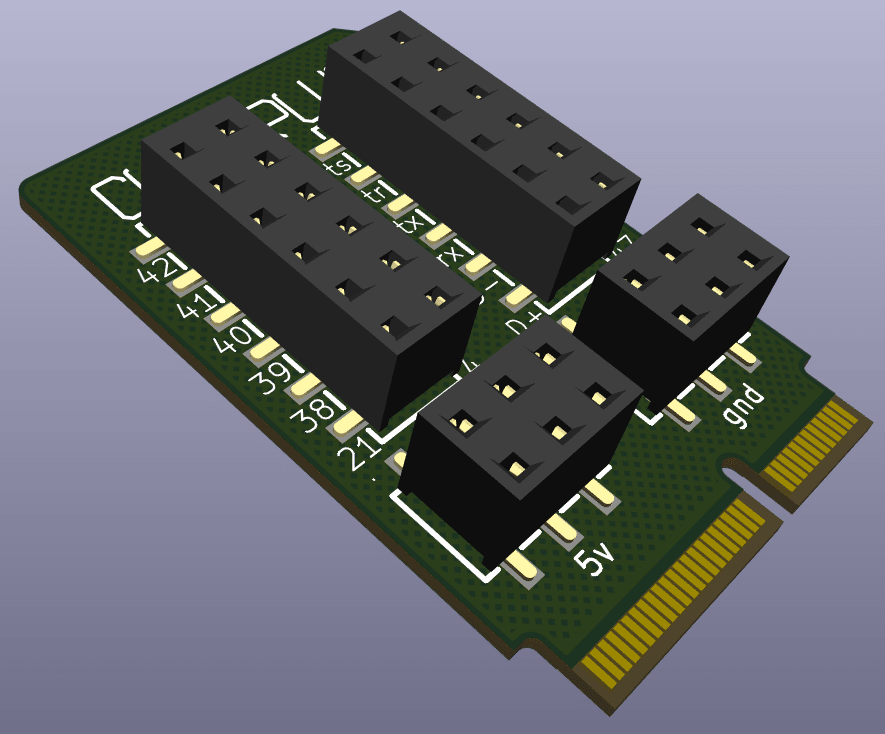 Last up is CL-32-Sound I didnt want to add audio into CL-32 by default. I know it is something that is popular on the cardputer, so I have made it as an add-on card for those who actually want it!! I have chosen an i2s ‘codec’ chip which includes audio in and out into one chip. There is a mic on there too, or you can use a ‘headset’ and use the mic built in to that instead!! There was a bit of space on the board because it is quite simple, and Spartan247 over on discord (my new ideas guy!!) suggested some LED’s for an audio visualizer. I took that a touch further and popped a little i2c OLED screen on there!! could be a VU meter or a progress bar, or whatever you like!! The ribbon would be folded up behind the screen, but you get the idea!! 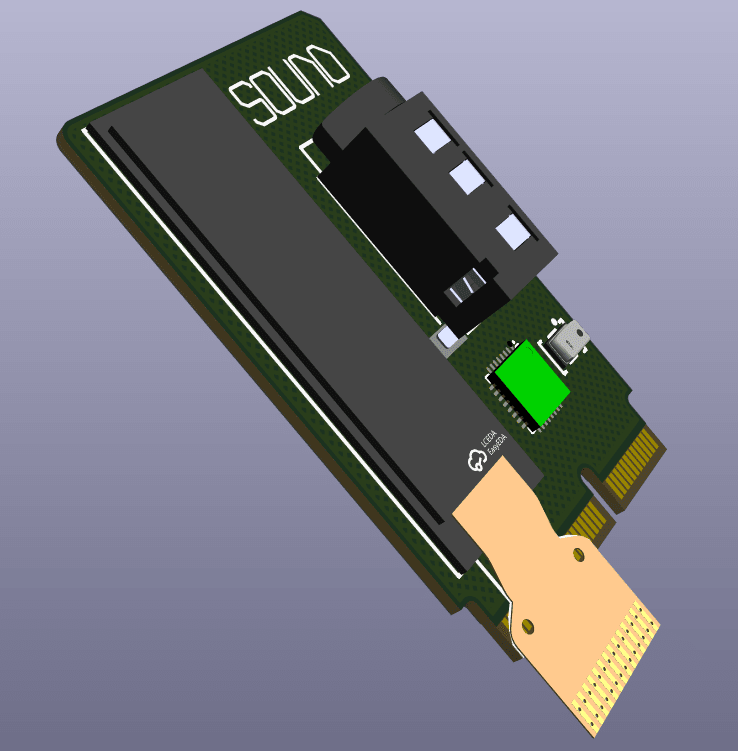 There are some more ideas in the works, and most of these cards need lots of fleshing out and properly routing, but the library is getting bigger :)In other news, I have ordered a dev board for the CH32V103 microcontrollerThis will let me see if it is possible to ‘upgrade ‘ the brains of the CL-32 Core. The goal is to have a few more pins to play with, and maybe even add a touch more functionality for free!!It will make the core faster, add the possibility to toggle a 5v boost for USB host usage, and even add the possibility to add even more i/o pinsThis turned out to be a massive pile of pictures for you, but hopefully you can see how much fun CL-32 can bring to the party!!To be continued…….. |
Leave a Reply
You must be logged in to post a comment.