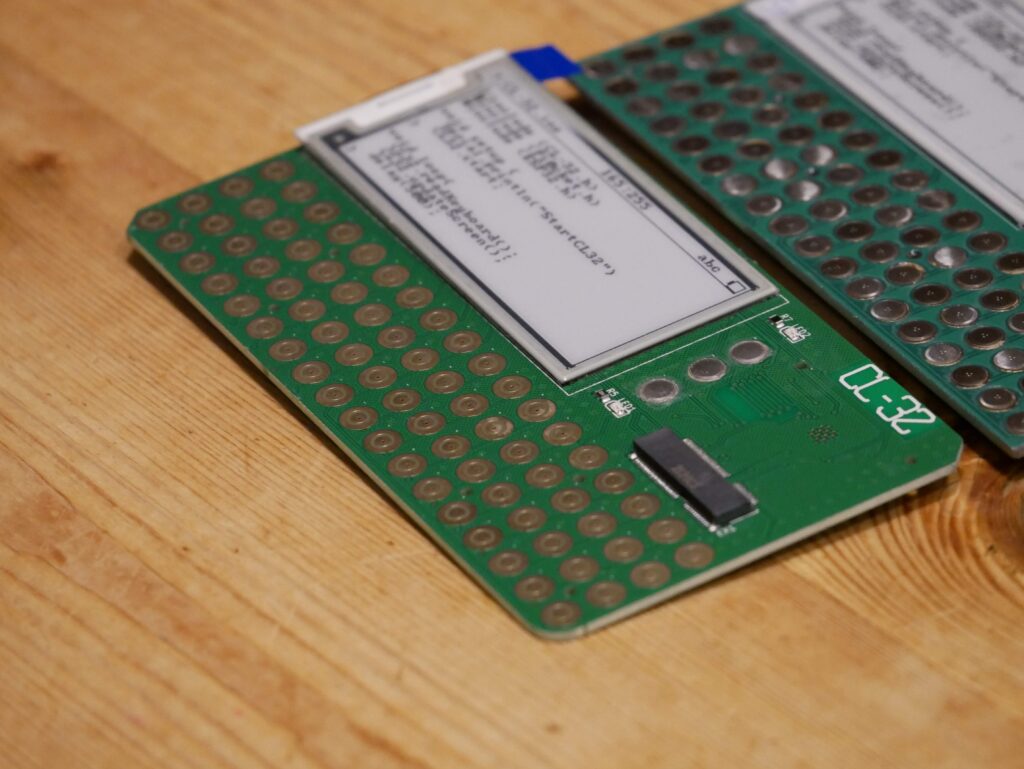
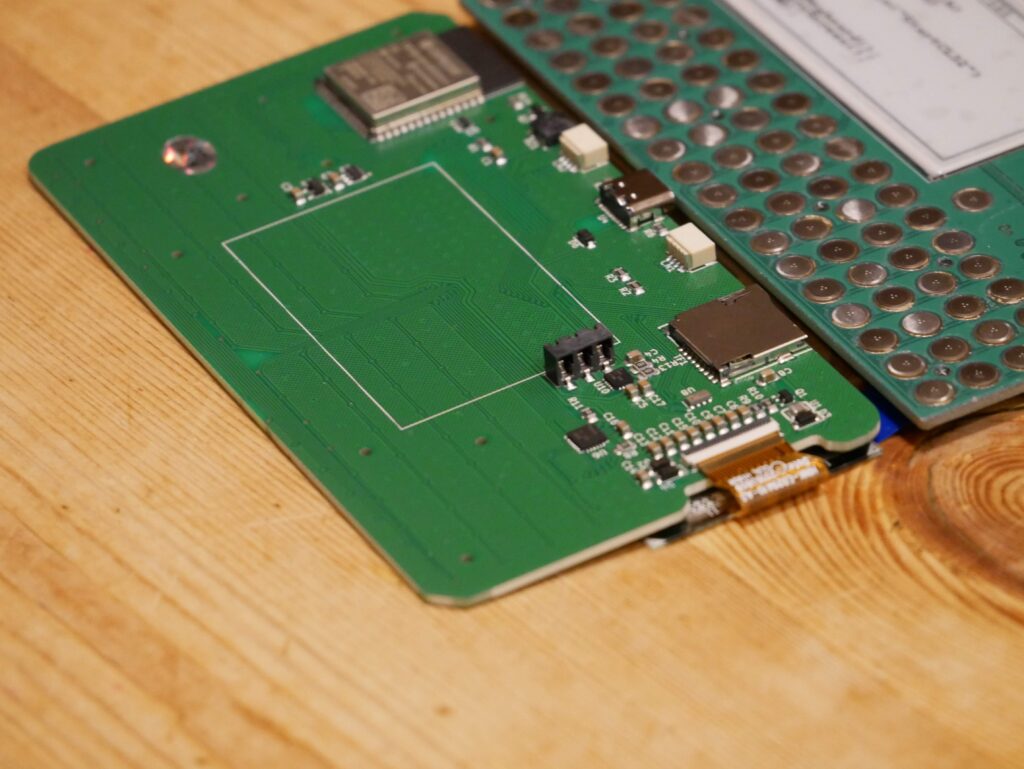
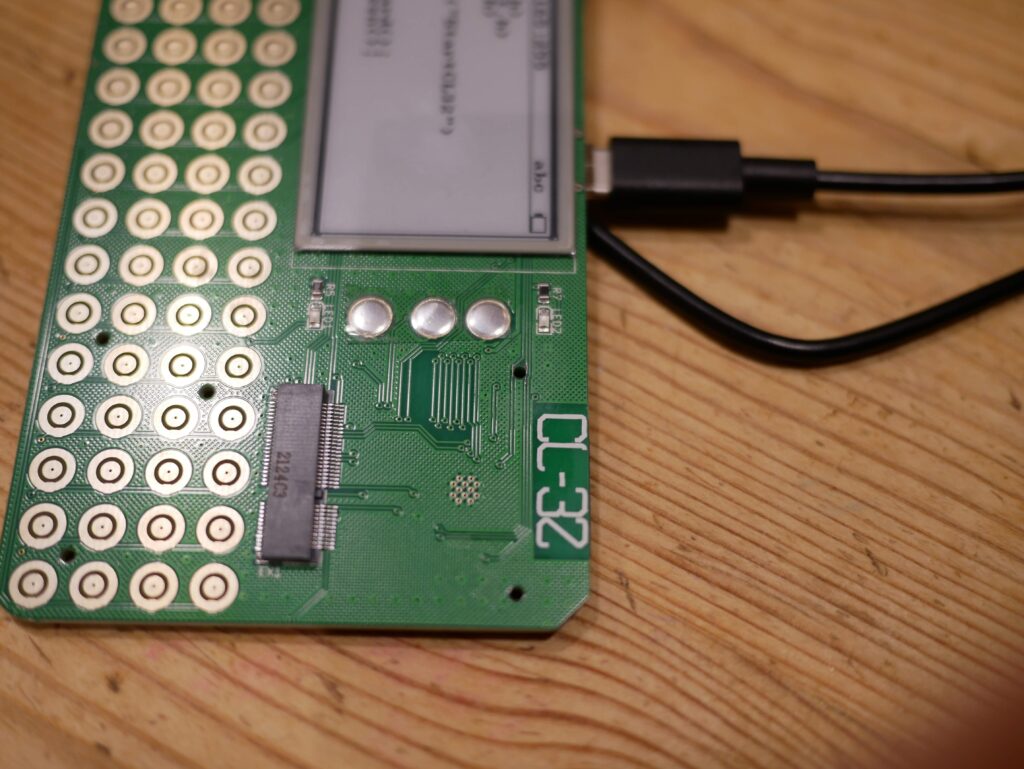
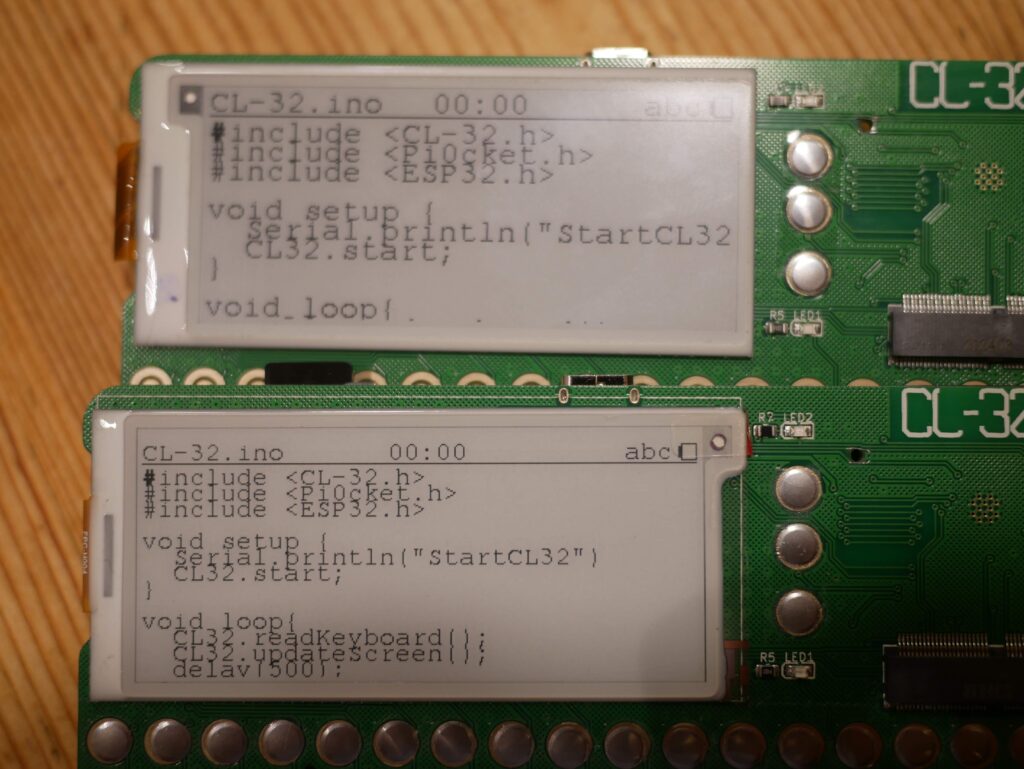
Blog

  • Starting to mesh

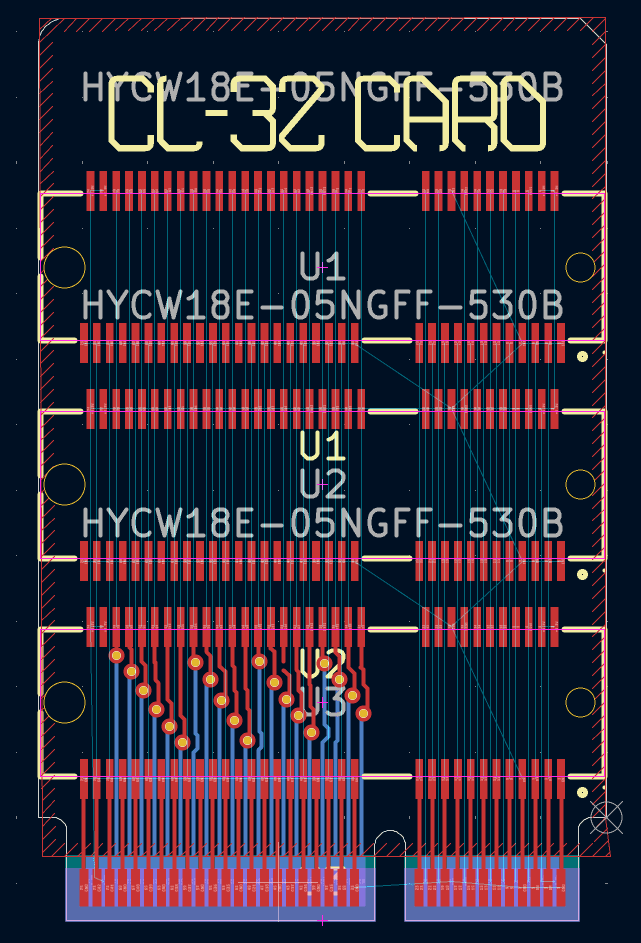
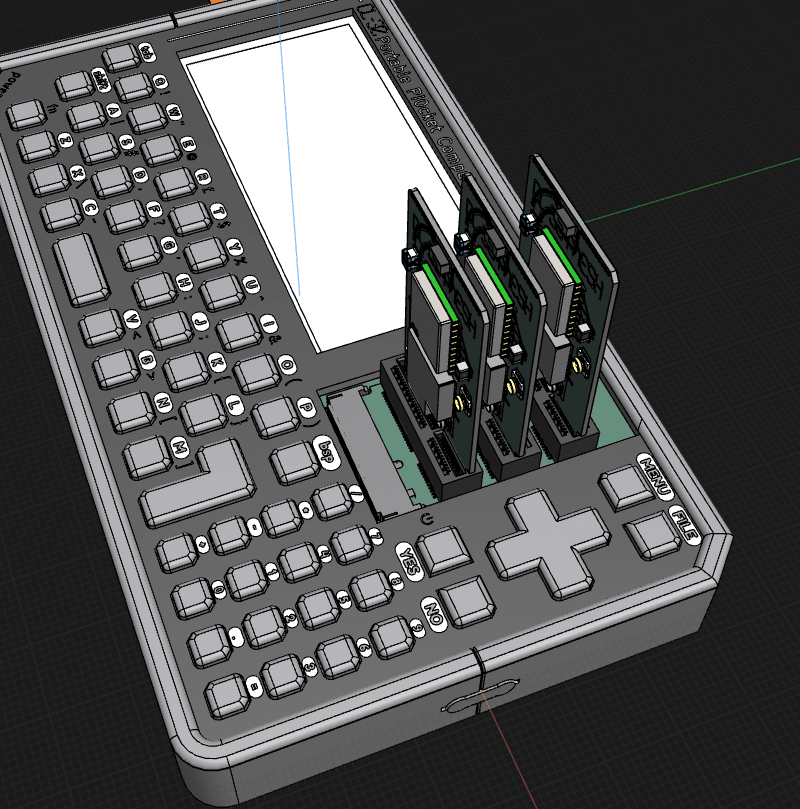
    This week started off as a ‘get the cards done’ kinda week, So I made a start on the funky ‘Hub’ card as I thought it would be pretty handy
    I thought it would be sensible to connect everything from one socket to the next. This would future proof the card design if my plan works out and the core MCU can work as a port expander and use those pins
    That good idea soon became a bad one!! The card and the connections leave barely any space on the card. Routing the connections on the back of the card is easy, but this leaves no room to get the connections from the front of the card up to the seconds and third sockets
    Image description
    I might have to re-evaluate that card, and maybe only connect the pins that are in use for now…
    While I have been working on these, My Awesome new friends have been working hard on their own respective operating systems, and making my life even easier!!
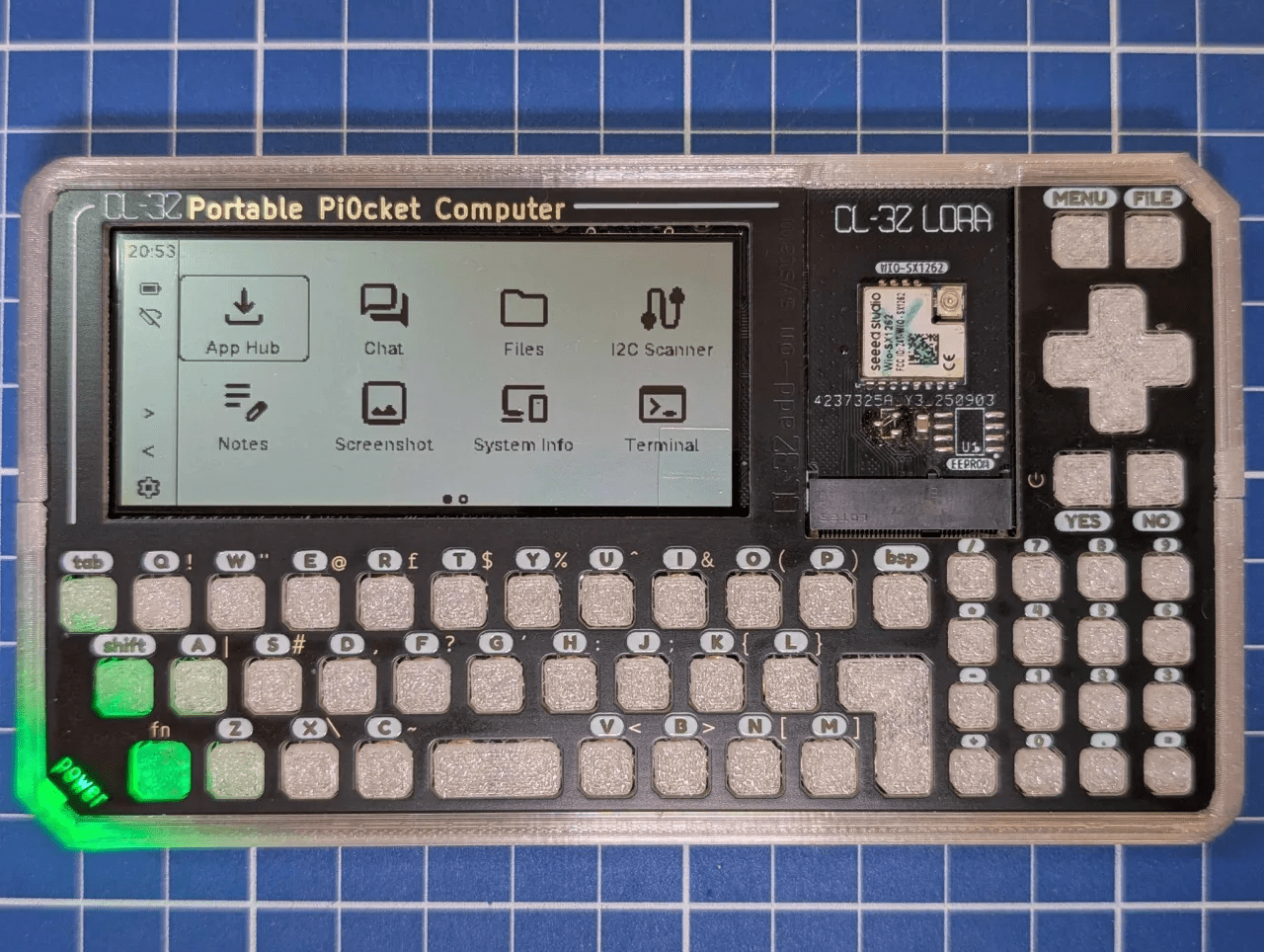
    ByteWelder has been tweaking things over in Tactility camp. There has been some good work on the UI side maximizing the screen usage
    Image description
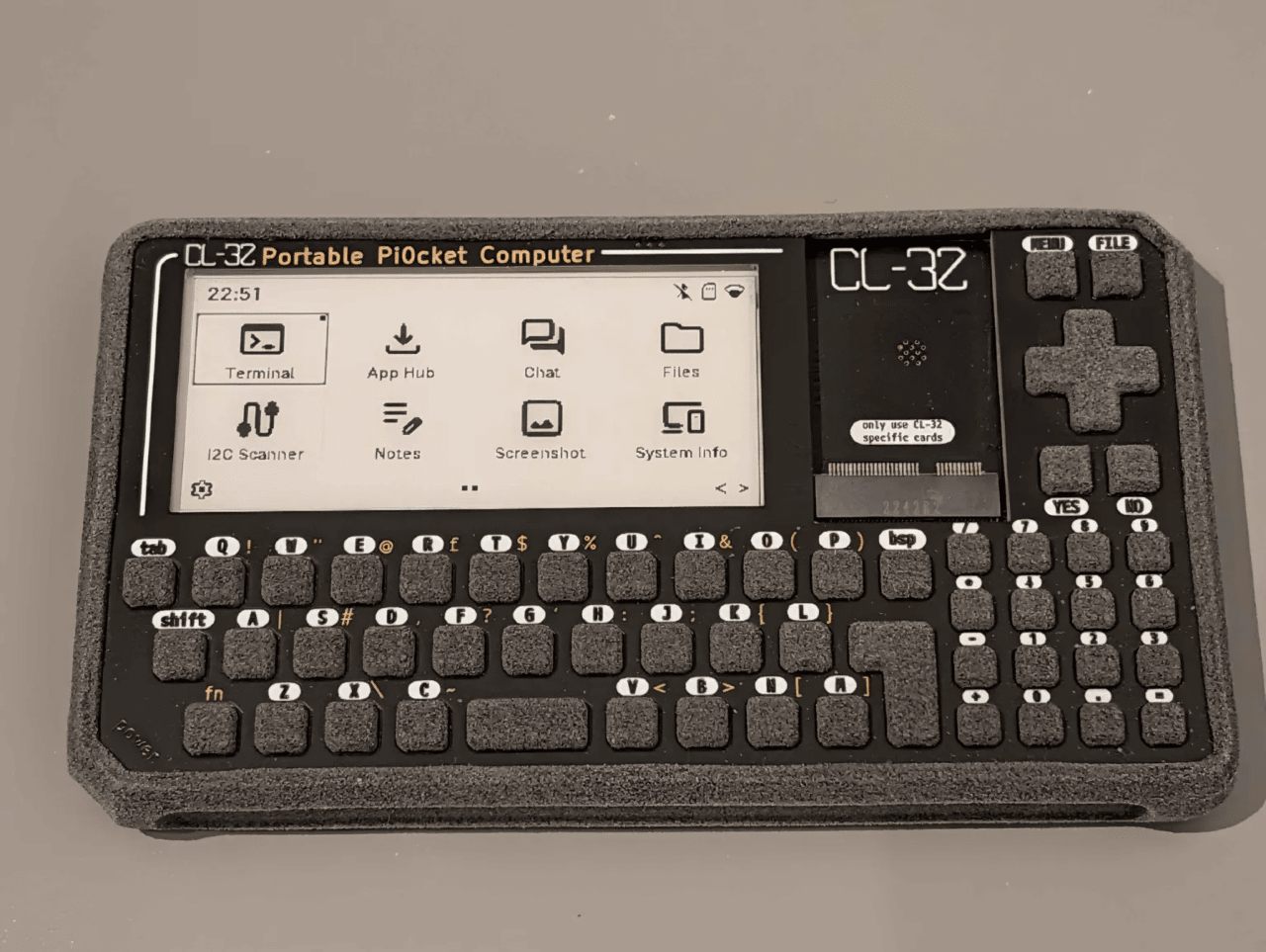
    The status bar has shifted to the side to make use of the wide nature of the display, there are nice icons and you can jump about to where you need with a few taps of the arrow keys
    Even thought it is a touchscreen interface at heart, it works well with a keyboard too!!
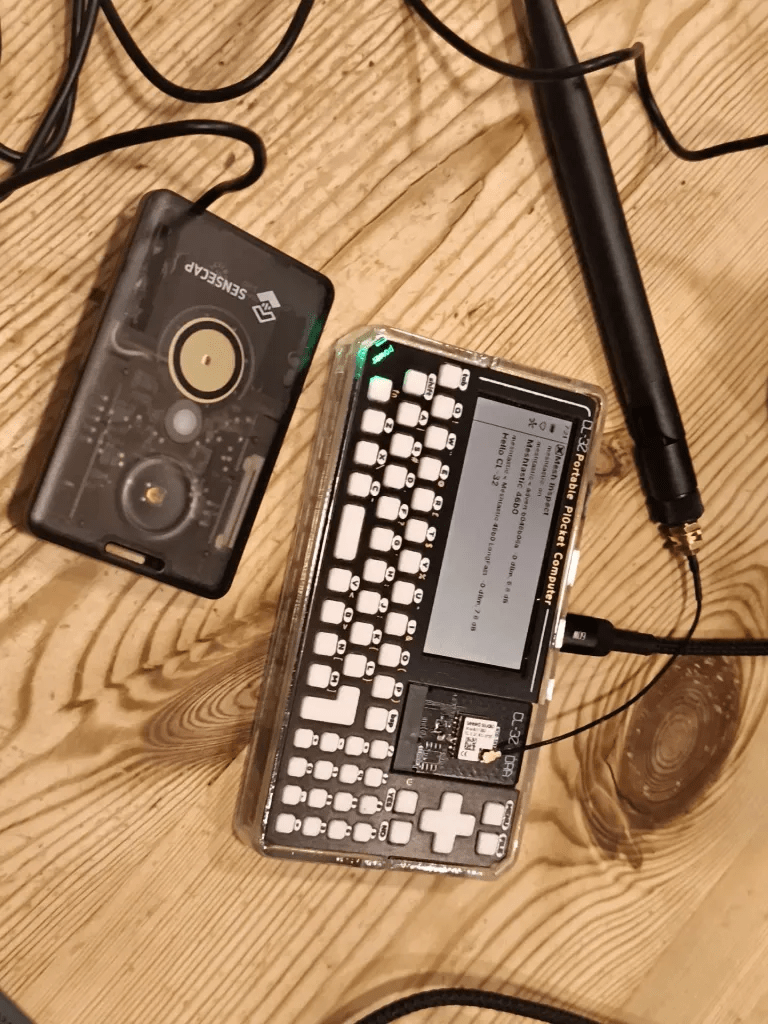
    With it all working well, I could see a nice little setting for mesh in there!! The sx1262 LoRa chip that I am using is supported, and it can connect to Meshcore and Meshtastic!!! I had aquired a sensecap T1000-e for testing, and it was already on Meshtastic, so I tested it there
    Image description
    At the moment tactility only connects to the mesh and logs the traffic, but full chat is coming soon…
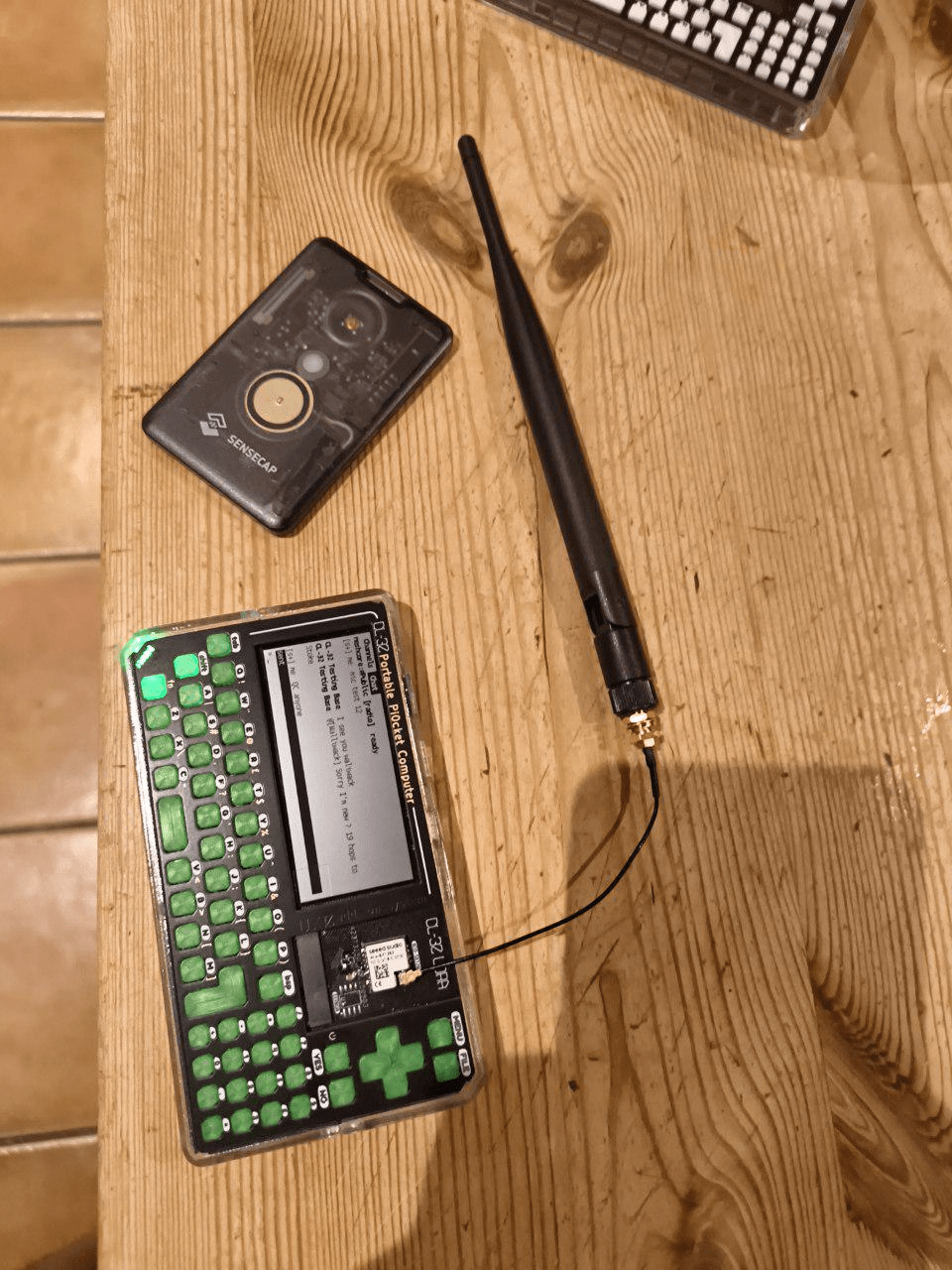
    I remembered that SolarOS did mesh, so I thought I would test things on there!! Meshtastic is not supported on SolarOS, so I thought I would give Meshcore a try
    The first thing I spotted (totally unrelated to software) was how much more traffic there is round here on Meshcore!! In all my Meshtastic testing, I saw one other device. In 10 minutes of Meshcore, there were like 20!!
    The setup process is a bit more involved, you can create a new SPI connection using the expansion app, then you can use the same app to hook up that SPI port to the radio device, then you use that radio device to connect to Meshcore
    This can all be set to happen on startup, so its there and ready every time, an we were off!!!
    Image description
    SolarOS has a unified chat/messaging/contacts system that can work with Meshcore and ESPnow, so everything is all set!!
    It always feels like I am trying to choose my favorite biscuit when I am comparing these operating systems. I love everything about all of them!! ๐Ÿ™‚
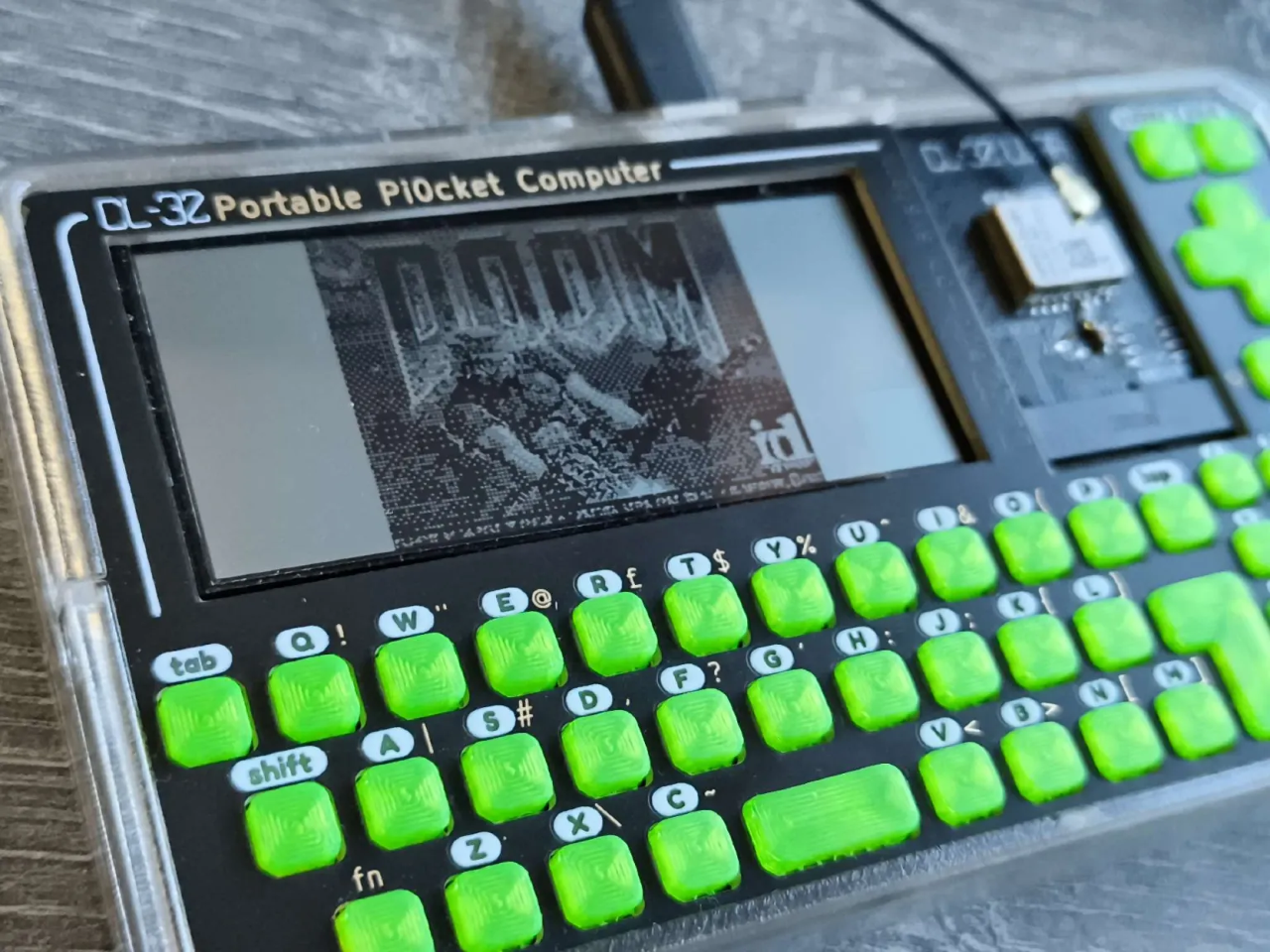
    I happened to mention the whole ‘does it play doom’ thing in passing to nilseuropa (Mr SolarOS) and he said ‘yeah I have already done that’. A few updates later and…..
    Image description
    I will whip up a video soon!! Its a bit tricky to see on such a low resolution black and white only screen!!
    Good screen / Bad screen
    Some of you might have seen this video about getting a gameboy emulator working at 30fps on an e-ink display
    This would be amazing if such a driver could be ported over to the original e-ink screen I was using. and would level the playing field with the RLCD in terms of speed
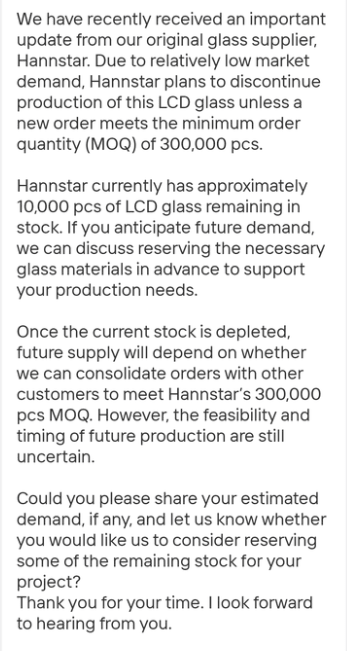
    That video came at a good time, as I got this message from my RLCD screen supplier
    Image description
    I went hunting and found the RLCD originally because there was a supply issue with the e-ink screen!! and now that option might be going away!! The e-ink issue was actually a silicon supply issue (pesky RAM chips taking all the supply) and is now resolved, but it just shows how fragile these supply chains can be
    Things could be ok with a crowdfunding campaign that hits a few thousand units. If some magic happens and crowdfunding goes over 10,000 units, then there wont be enough screens (unless I commit to buy 300,000!!!) so that is something to think about!!
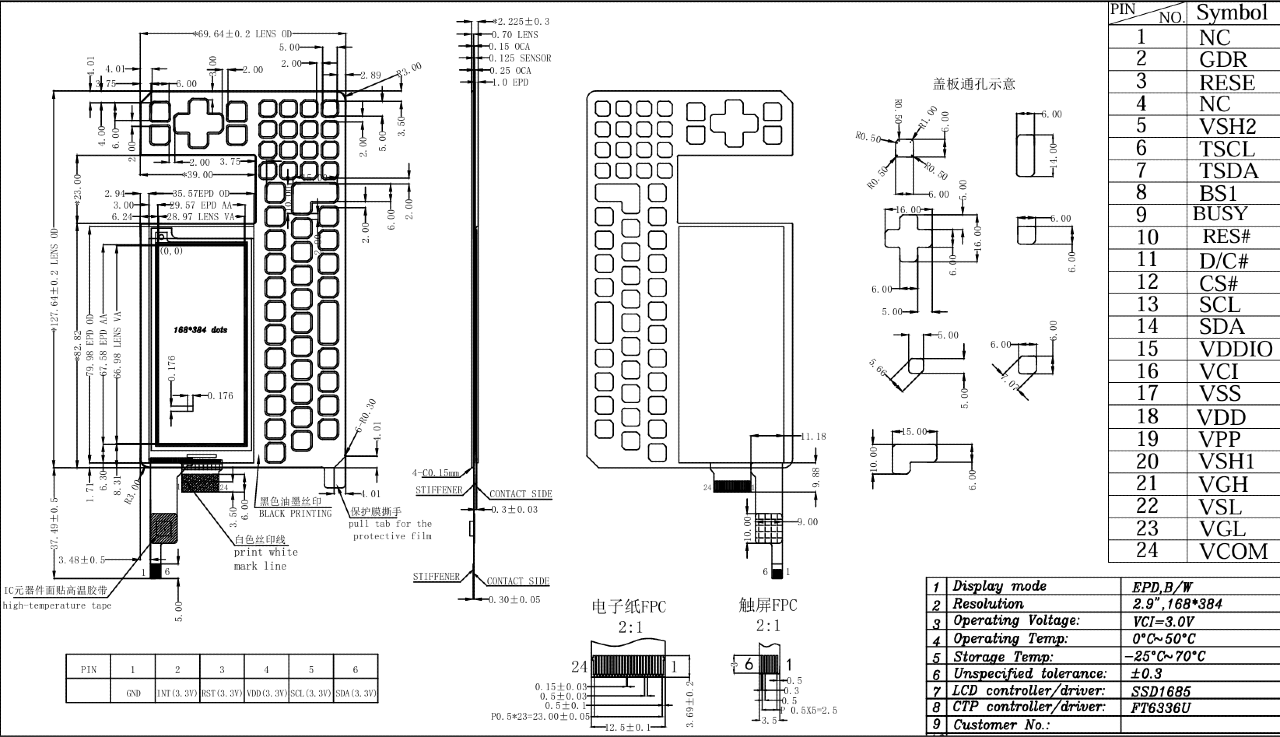
    As a bit of a knee jerk reaction, I asked the e-ink supplier if they could make a custom front plate that has the e-ink screen bonded on, with frontlight and touch, and well…. yes they can!!!
    Image description
    If the super clear e-ink screen could be made to go super fast, with a front light, and touch, and it could all come in at a good price, then it could be a gamechanger!!!!
    So maybe bad news can be a silver lining.. to be continued….
  • Busy doing nothing

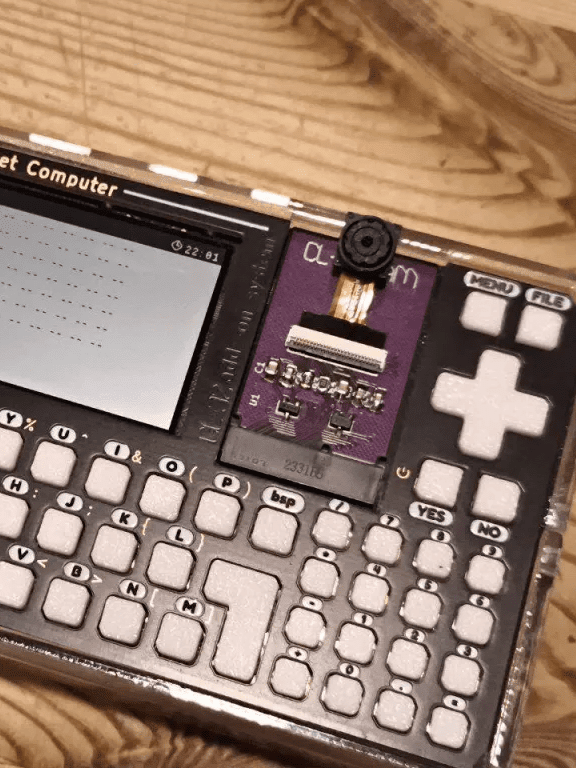
    After last weeks email, this might not be quite so impressive!! I had big plans to get all those tasty add-on cards all routed and ready to order, but then I blinked, and it was Friday!!I spotted this post from SolarOS and it thought it was about time for me to get my CL-32-CAM add-on board soldered up and see what it can do

    Image description

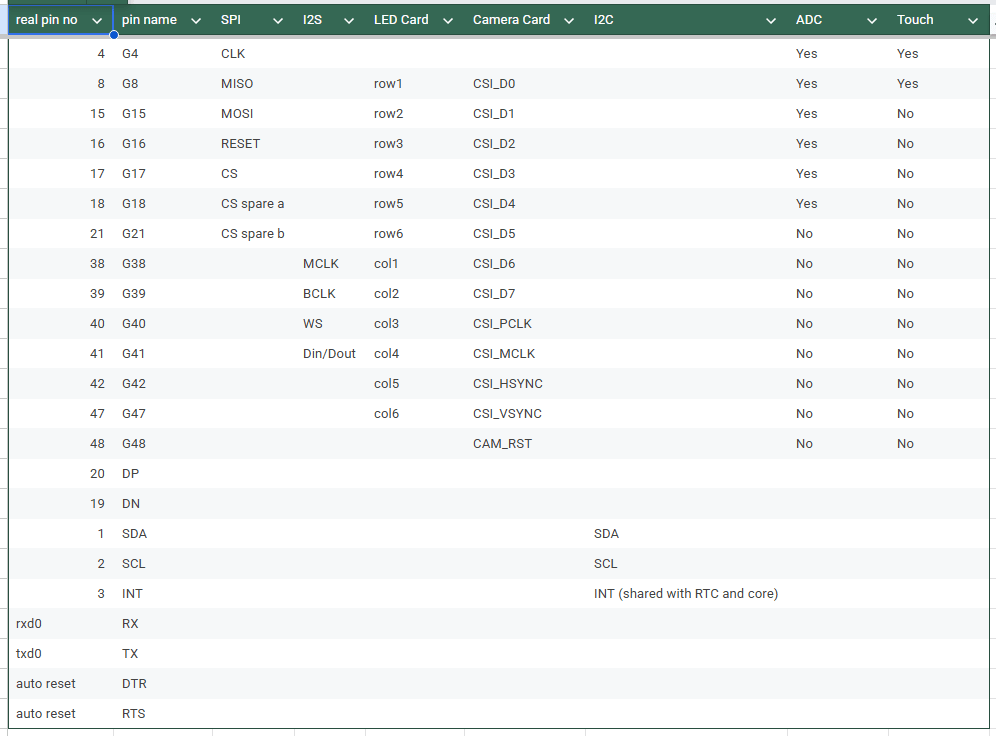
    Its a bit messy, and I wasnt really holding out much hope of it working first time. I used the SolarOS expansion app to try and hook up all the pins to the camera module and I was 2 pins short!!

    Image description

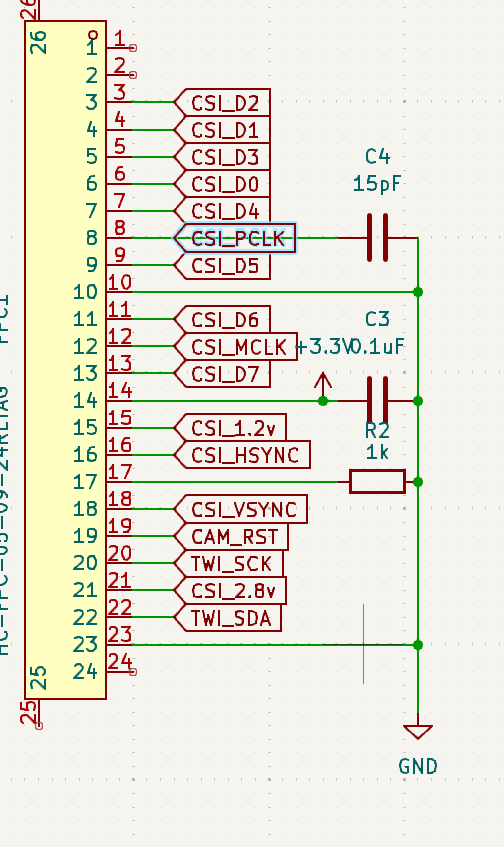
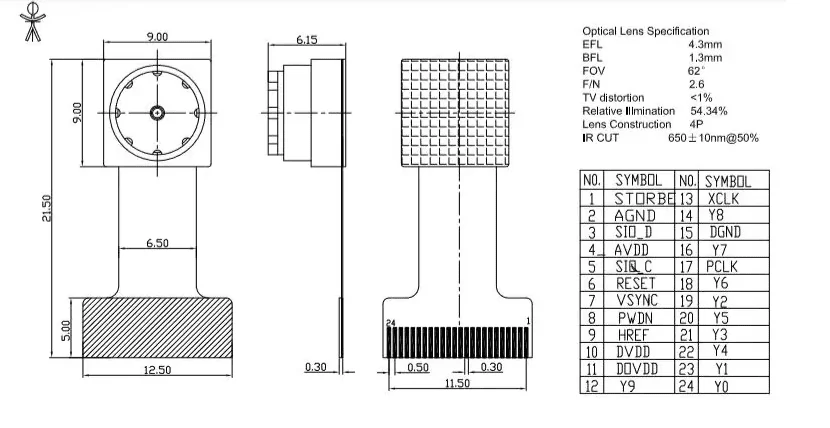
    Looking at my schematic, I had TWI_SCK and TWI_SDA linked to the i2c bus (they sound like SPI pins right??) but on the proper pinout for the camera module, they are listed as SIO_C and SIO_C, so that doesnt quite fit!!

    Image description

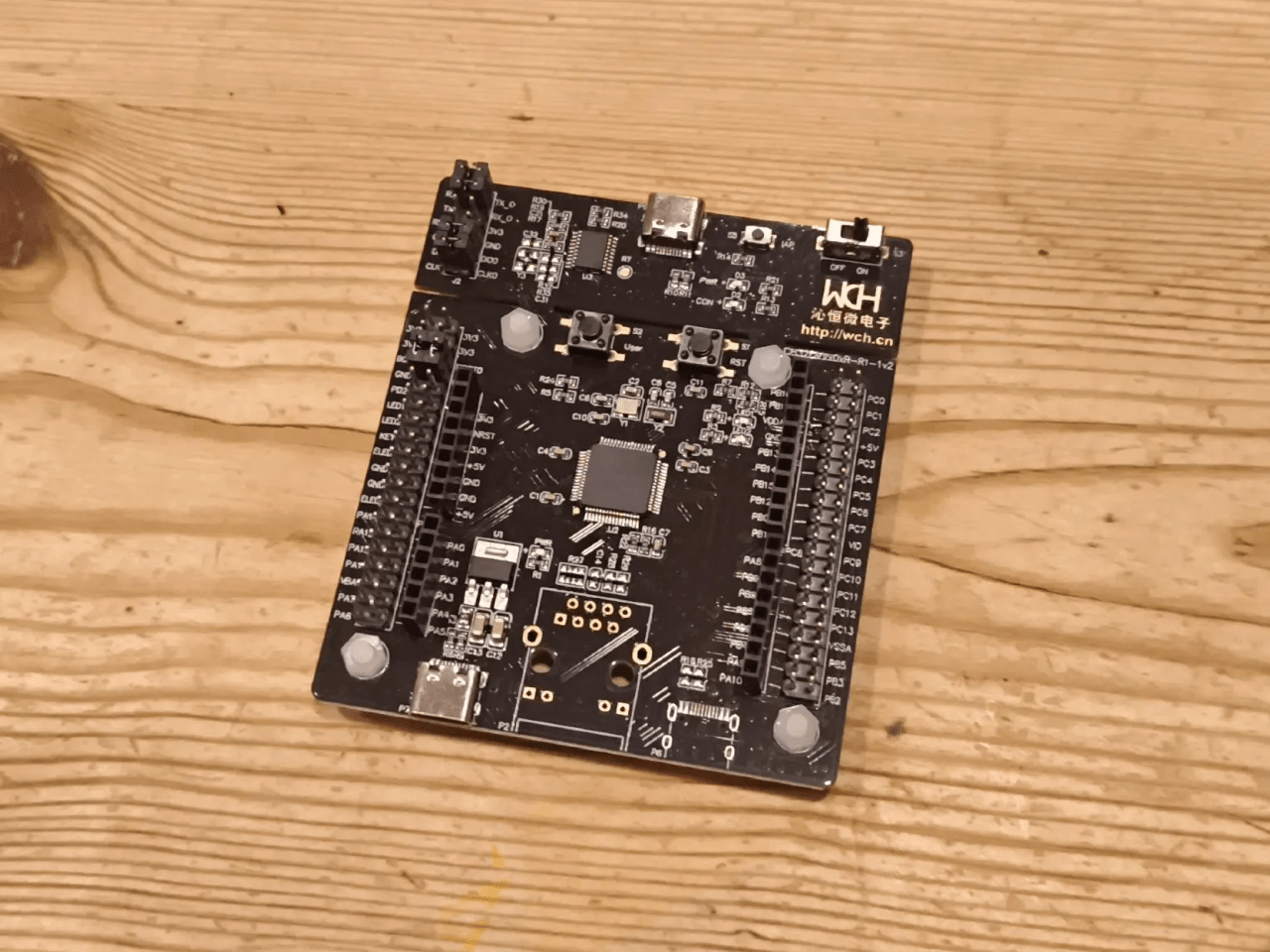
    Nilseuropa (Mr SolarOS) worked some magic to let the pins match with i2c and it actually pops up on an i2c scan!! So thats a working camera right?? WRONG!! if you scroll back up and compare the pin order (my pin numbers are reversed, but thats not the issue) you will see that one image has the data pins in the order of 0, 1, 4, 3 and the other has the data pins ordered 2, 1, 3, 0 !! Also my pins start after 2 empty pins, but the other diagram I found has the data pins starting straight from the edge!! There are also some other issues, but essentially the board is duff!! I think the best plan is to find some modules, and tweak my board to match those, rather than just relying on some random schematic on the internet!!I had mentioned last week that I had ordered the dev board for the potential new core MCU for the release version of CL-32. Well that dev board landed this week!!

    Image description

    There are so many pins!! Of course I had to give it a quick test!! So I installed the MounRiver Studio software to have a quick look at how that works. It is always a pain having to use random software to program a chip, but its normally the best way to get full access to all the tools!!I didnt get any further than loading in a bare bones project, and uploading that to the board, but I can already see that the IDE is much faster and cleaner than the MPLAB IDE for the AVR16EA32 chip I am currently usingI need to test to see if it can run from the battery voltage as I am doing now, and I also need to see if the chip is capable of reading its own supply voltage. If those both seem possible, then it could be a really great upgrade to the CL-32 core!! bumping from 8 to 32 bit, from 20 Mhz to 80 Mhz CPU clock, and possibly 10 extra pins to play with!! All this, and it might even end up being a tiny bit cheaper!!While I have not been all that productive, ByteWelder over in Tactility towers has been busy!! He has been working on getting Tactility playing nicely on monochrome screens

    Image description

    Tactillity is kinda more geared for fancy colour touchscreen devices. Using it on a non touch device adds navigation challenges, and the previous iterations of it didnt have the fancy uiIt is quite exciting to have multiple options for the device software. I could make the best hardware in the world, but without good software, it is basically garbage!!

    Each OS has its own strengths

    Tactility is great for beginners with its swish new interface and navigation, it super easy to get your CL-32 online and downloading apps without typing much more than your WiFi password

    SolarOS needs a bit more skill and you need to remember which commands you need to be typing to get things moving (although there is autocomplete and the help documentation is stellar!!) but if your the kind of person who wants to be connected onto a linux server via a LoRa/MeshCore connection, then you should feel right at home!!

    Meshtastic will get you straight onto the LoRa mesh train (when i get round to finishing that!!) and I hope that I can get the proper standalone version working on CL-32 (or a variant of it) so that you can use it without the need of a mobile phone

    Meshcore is just as popular, but I have yet to look at the firmware properly. I would love to get it properly supported in the same way as Meshtastic, but it might be less of a priority as SolarOS has Meshcore built in, and Tactility has Meshcore support coming soon!!

    Then there is my half finished attempt an OS… It might never get finished (by me at least) but it could be a good springboard for someone starting out as an example of what not to do ๐Ÿคฃ๐Ÿคฃ

    So it is back to the add-on cards, and getting them fleshed out. I am hoping that I can get a few of them done and ordered so that I can do some good demo’s of what CL-32 can do, and get everyone wanting one in preparation for some crowdfunding

    Lets see what next week brings…
  • Pick a card, any card!!

    This time last week, i was banging on about the rules of the add-on cards

    Image descriptionNow that the rules are ‘set’ I thought its best to get some cards sorted!!
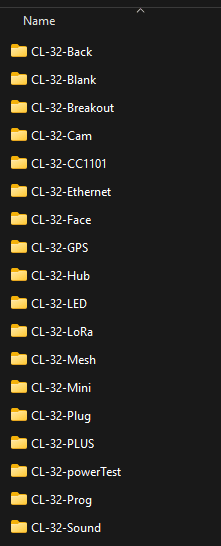
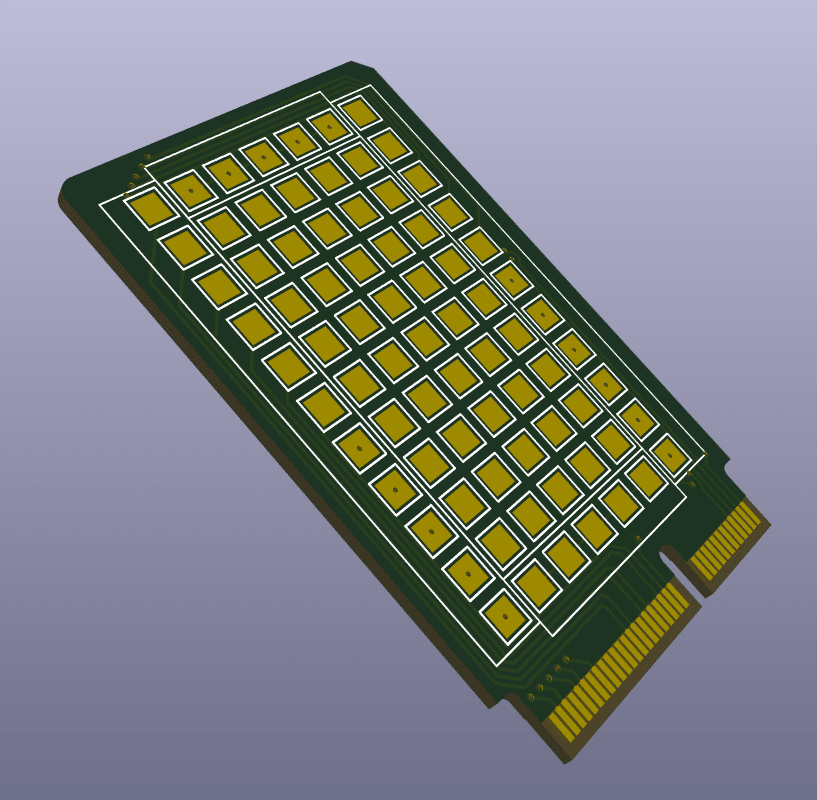
    Image description

    The folder is starting to look quite full!! There are a couple that i started last time but never finished, and some new ones in thereSome of the folders there are not actually add-on cards. CL-32-Face and CL-32-Back are the front and back of the device, CL-32-powerTest was my initial test board for the new power system we have now, and the CL-32-Prog is a way to tap in to the UPDI port on the core MCU for firmware shenanigans. CL-32-Mini is actually a silly idea I had and not an add-on board at all!! CL-32-PLUS seems to be a random second copy of the LED boardFirst on that list then is CL-32-Blank.

    This is actually a base for starting a new add-on board, and you can actually grab a copy and have a play yourself!! The card is pretty simple, you cant make the board any bigger, and you cant add components to the back side of the board, but other than that its fair game!! If you know your way round KiCad, feel free to grab the board and go crazy with it!!Next on the list is CL-32-Breakout

    This was an early board on the design table. The idea was to have the i/o pins and power pins arranged round the edge of the card, and a pile of unconnected pads in the middle. The idea behind this card was to let you solder components onto the center pads, and you can use it kinda like a permanent breadboard. For some reason the legends are missing from the 3d render, but you get the idea. The spacing is super tight, so its probably only for the pro hackers, but it could be quite handy!!

    Image description

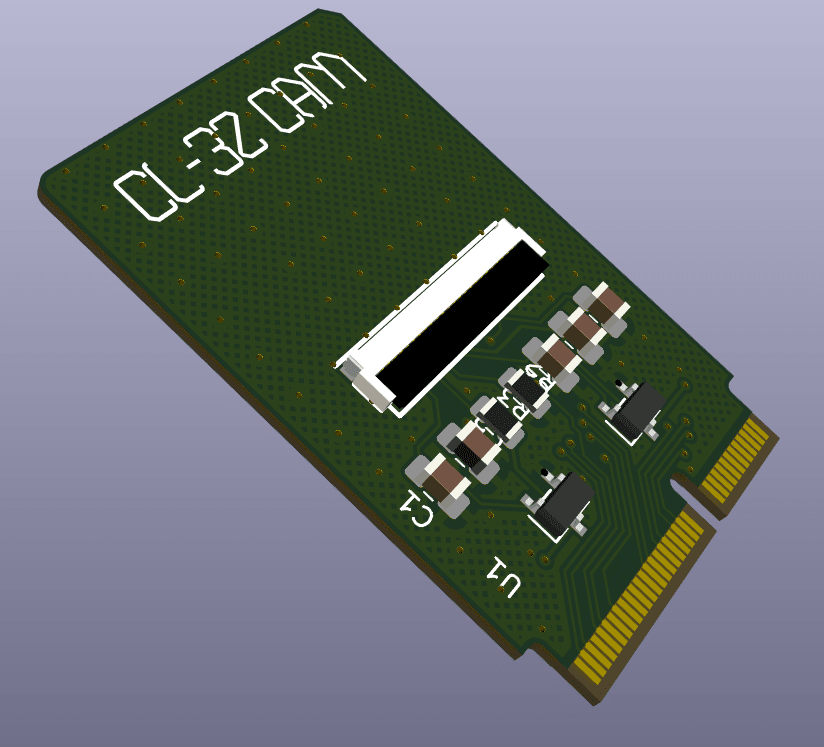
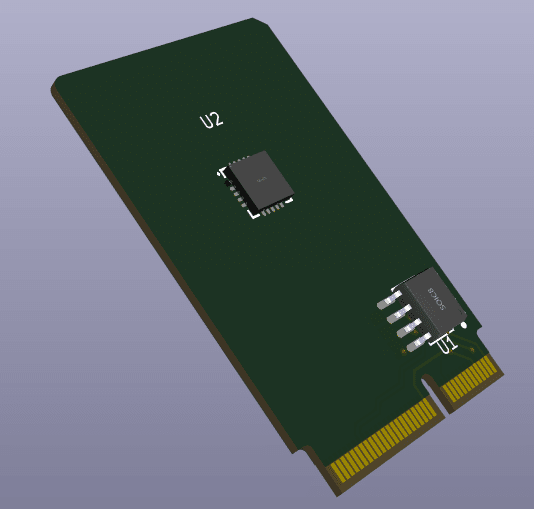
    Next up is CL-32-Cam

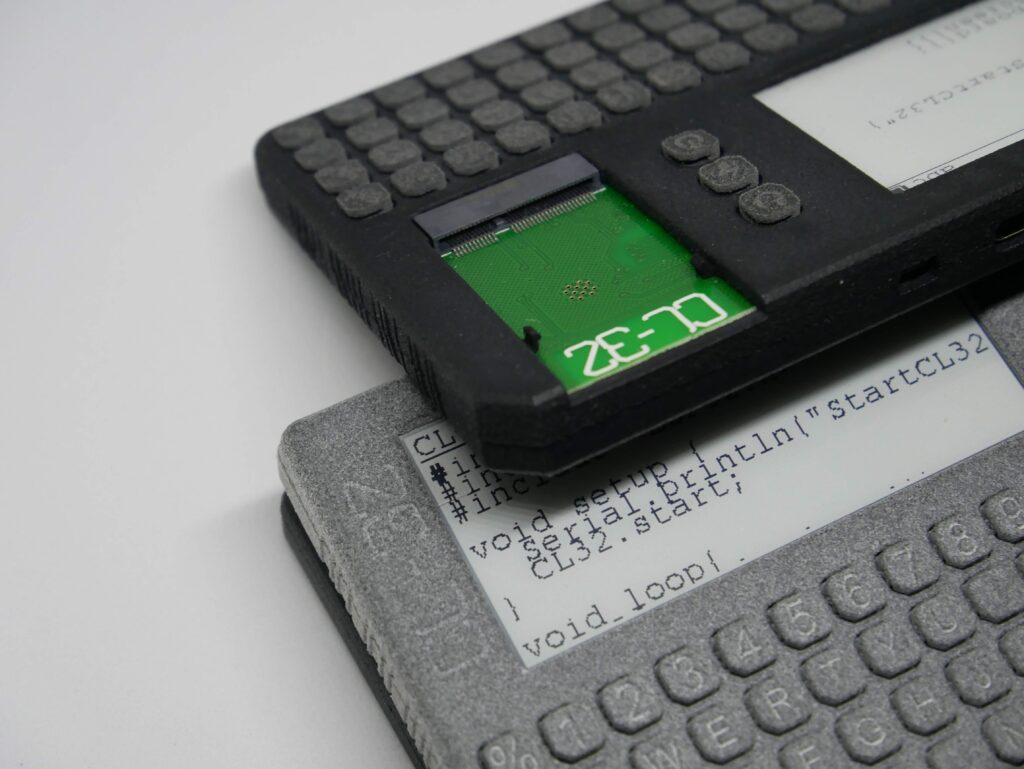
    This is an older one, and I wasnt sure it would be possible. The ESP32-CAM board is really fun, so I wanted to bring that fun to CL-32. The ov2640 camera module needs many pins, but there are just enough to have a chance of working. This post about the latest SolarOS update got me finally assembling a board to test, but it seems that there are some errors on the board. Hopefully I can fix it though, it is a worthy addition!!

    Image description

    The CL-32-CC1101 card is one of the first ones I made

    It didnt get very far in the design (it still has the eeprom that I have since removed) but the idea is to let you use this card for messing with radio signals. The CC1101 chip offers sub 1Ghz wireless communications, so should allow your CL-32 to be able to do most of the things that a flipper zero can do!! The baked in antenna that the back PCB has, includes an antenna that shoud work with this card, so you wouldnt need an antenna sticking out. I need to circle back to this one, it will be super handy

    Image description

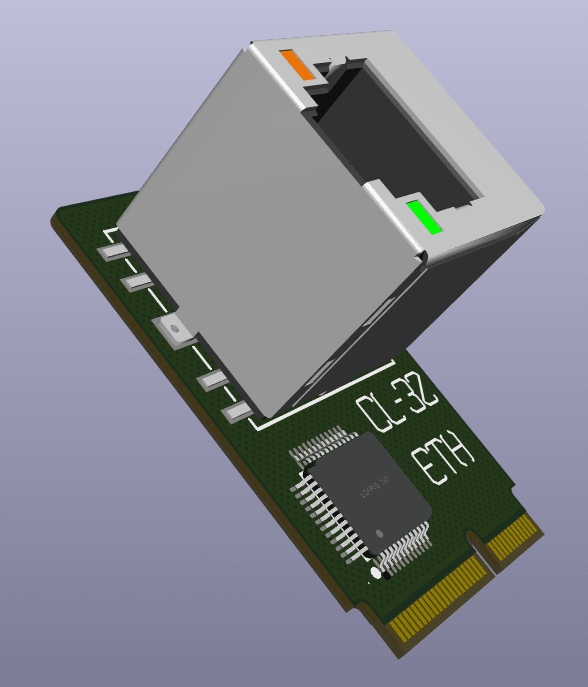
    CL-32-Ethernet is a fun one

    I got an email the other day (Hey Payton) asking if there was an ethernet module. I had kinda thought about it, but it never got much further than that. I thing right angle socket will be needed so that it can actually fit on the card, and there is just about space for the W5500 chip. It wouldnt be very pocketable, but it would be good for network engineers to be able to ‘jack in’ to a network for testing

    Image description

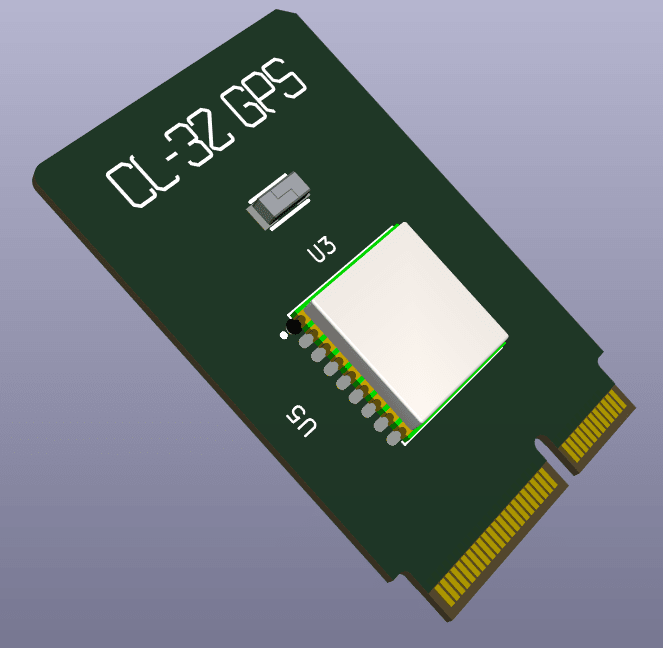
    CL-32-GPS does exactly what you think
    It lets you pop a tiny GPS module on your CL-32. I had originally though that a GPS module would be good for learning how to deal with large data streams as part of programming lessons

    Image description

    CL-32-Hub you might remember from last week
    It will let you mash together a few cards for fun experiments. In no way pocketable, but useful none the less!!

    Image description

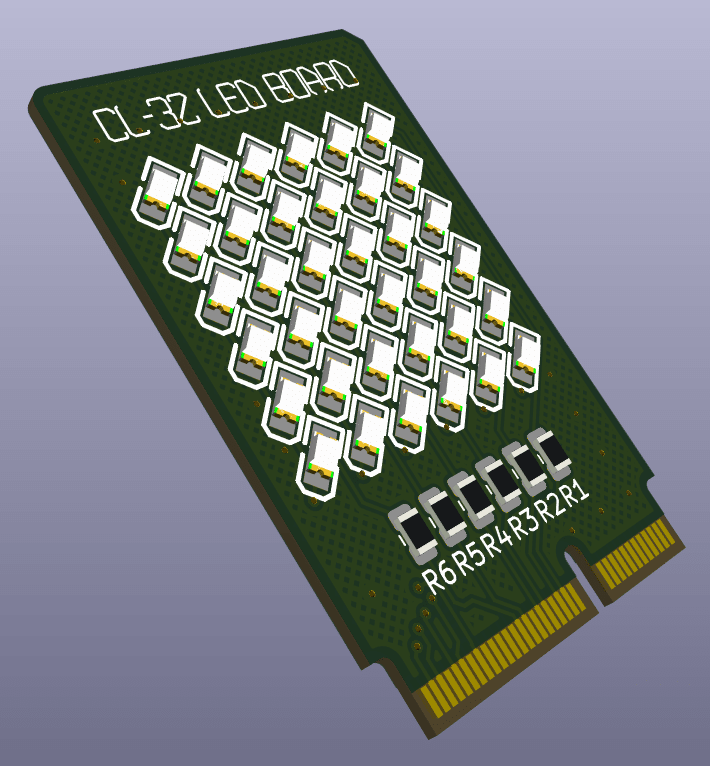
    CL-32-LED is one you have all seen
    Just a simple array of LEDs to play with ๐Ÿ™‚

    Image description

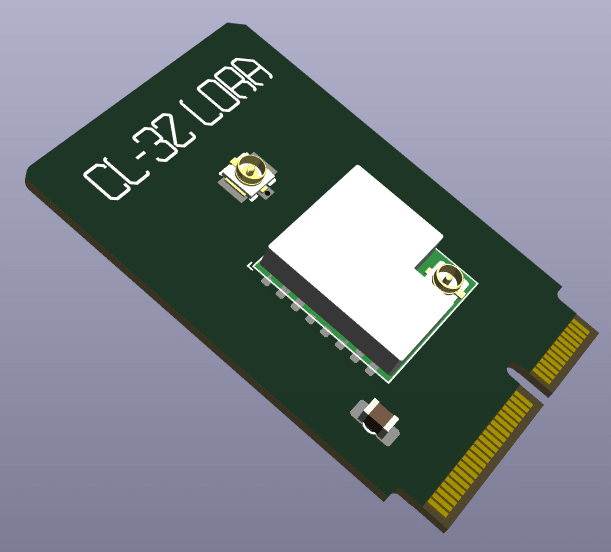
    CL-32-LoRa is a basic LoRa card
    If you want to use your CL-32 for your favorite mesh network, but you dont need GPS, then this is your card!! By default it pipes the antenna connection to the back PCB of the device for use with the baked in antenna, but you can change that if you need something better!!

    Image description

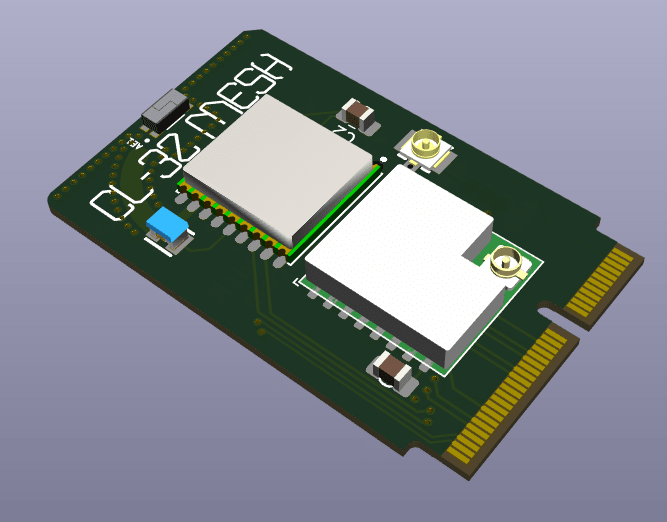
    The CL-32-Mesh card takes this further
    You sometimes need LoRa and GPS combined!! dont worry, I got you!! It takes the best bits of the LoRa card and the GPS card and squishes them onto one card
    Image description

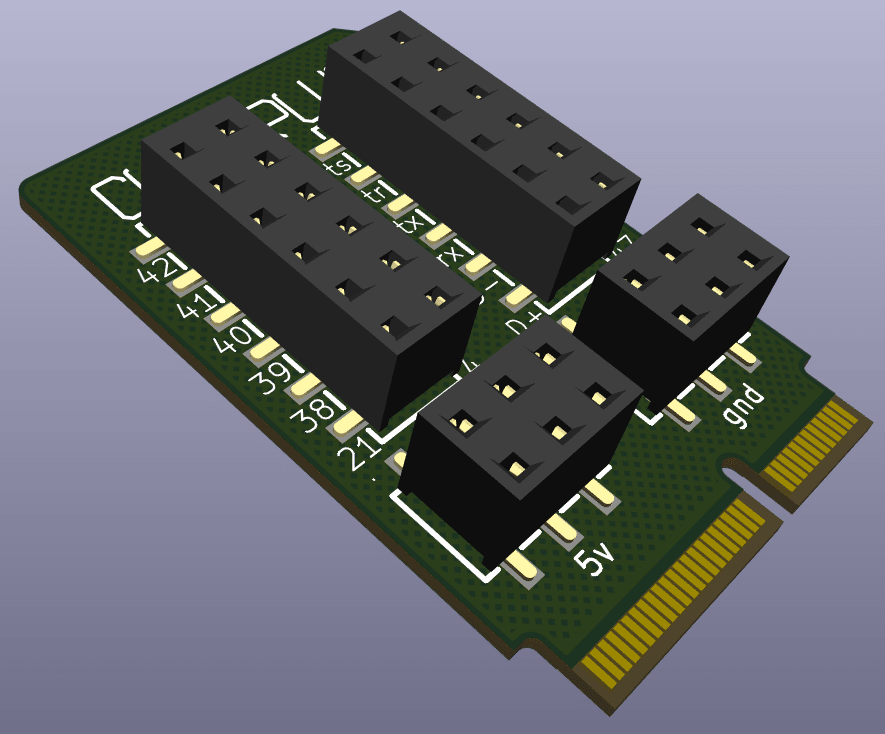
    CL-32-Plug is one for the makers
    Taking the idea of CL-32-Breakout, but making it a bit safer, easier to use, and less permanent. All of the available i/o pins are broken out into nice standard pin headers. This means you can use any old jumper wires to connect extra things to your CL-32. Its a bit of a tight squeeze, but should be nice and easy to use

    Image description

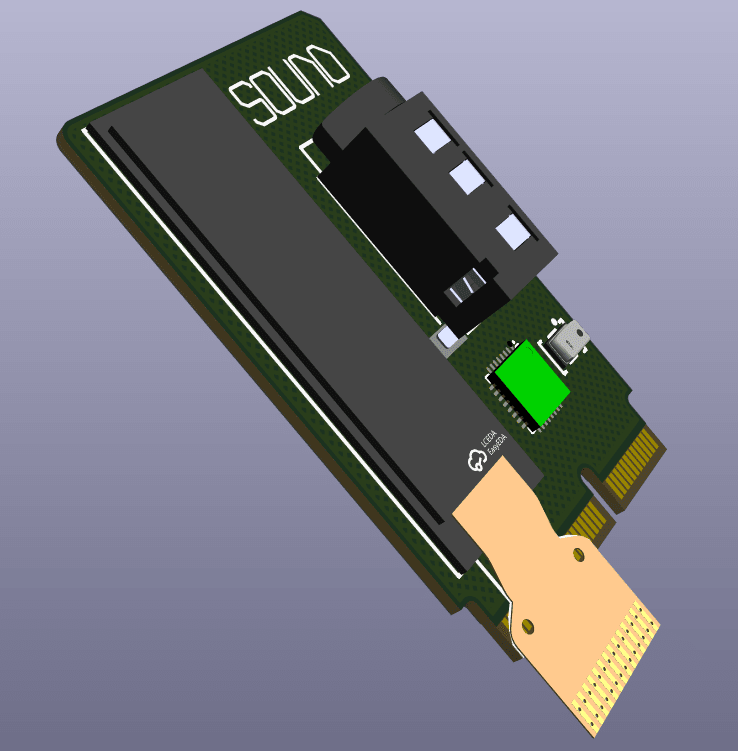
    Last up is CL-32-Sound
    I didnt want to add audio into CL-32 by default. I know it is something that is popular on the cardputer, so I have made it as an add-on card for those who actually want it!! I have chosen an i2s ‘codec’ chip which includes audio in and out into one chip. There is a mic on there too, or you can use a ‘headset’ and use the mic built in to that instead!! There was a bit of space on the board because it is quite simple, and Spartan247 over on discord (my new ideas guy!!) suggested some LED’s for an audio visualizer. I took that a touch further and popped a little i2c OLED screen on there!! could be a VU meter or a progress bar, or whatever you like!! The ribbon would be folded up behind the screen, but you get the idea!!

    Image description

    There are some more ideas in the works, and most of these cards need lots of fleshing out and properly routing, but the library is getting bigger :)In other news, I have ordered a dev board for the CH32V103 microcontrollerThis will let me see if it is possible to ‘upgrade ‘ the brains of the CL-32 Core. The goal is to have a few more pins to play with, and maybe even add a touch more functionality for free!!It will make the core faster, add the possibility to toggle a 5v boost for USB host usage, and even add the possibility to add even more i/o pinsThis turned out to be a massive pile of pictures for you, but hopefully you can see how much fun CL-32 can bring to the party!!To be continued……..
  • Neglect!!

    Looks Like i have been neglecting you guys!!

    I send out a weekly email to anyone signed up, so I have been forgetting to post that information on here too!!

    You can sign up if you like on the main page. I try not to make it spam, it is mostly just a summary of what I have done over the week, or my thoughts for the project. There is also the option to sign up to critical updates, these will be information about release dates and how to get your hands on a CL-32!!

    so much has changed since the last post!! I think there has been 2 PCB revisions, The case has gone from PLA to TPU and back to PLA, with the front and back of the device being PCB’s now!!

    I have found a reflective LCD that is a drop in alternative to the E-ink screen, if you like a bit more speed with your pocket computer

    The software side has seen some massive changes too, with 2 new operating systems to play with!!

    So now I think the device is nearing a release!! I am currently working on building up the add-on card library, to really make the device as desirable as possible ready for crowdfunding

    I will post the weekly email in here too, for the people who want to stay in the know, but not get spam from me ๐Ÿ™‚

  • FDMaybe

    So I have a bit of an obsession with making things as small as possible (google TinyPi Pro) and its all too easy to get down a rabbit hole of zooming in like crazy on the CAD and before you know it you have details that are 0.5mm and beyond the capabilities of ‘normal’ 3d printers.

    I had assumed that was the case here too, my early test prints came out as rough as a badgers bottom!!! The MJF prints that i have been getting are beautiful quality but can mount up the cost if your trying to tweak a design.

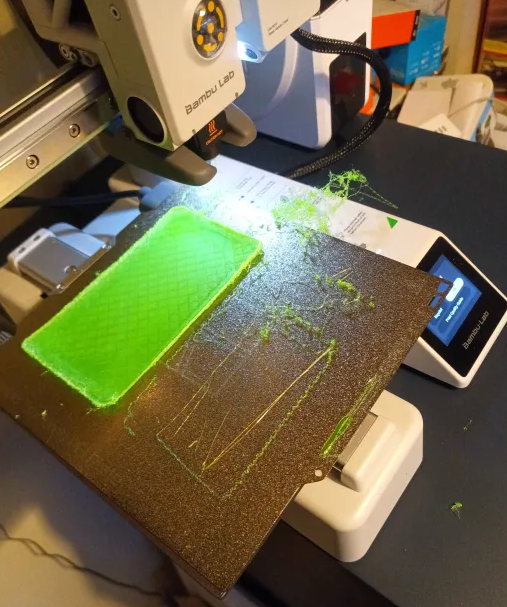
    I have just splashed out on a new 3d printer, so I thought lets test this puppy, and cranked the quality all the way up to 11 (actually 0.08mm) and tried to print a case….

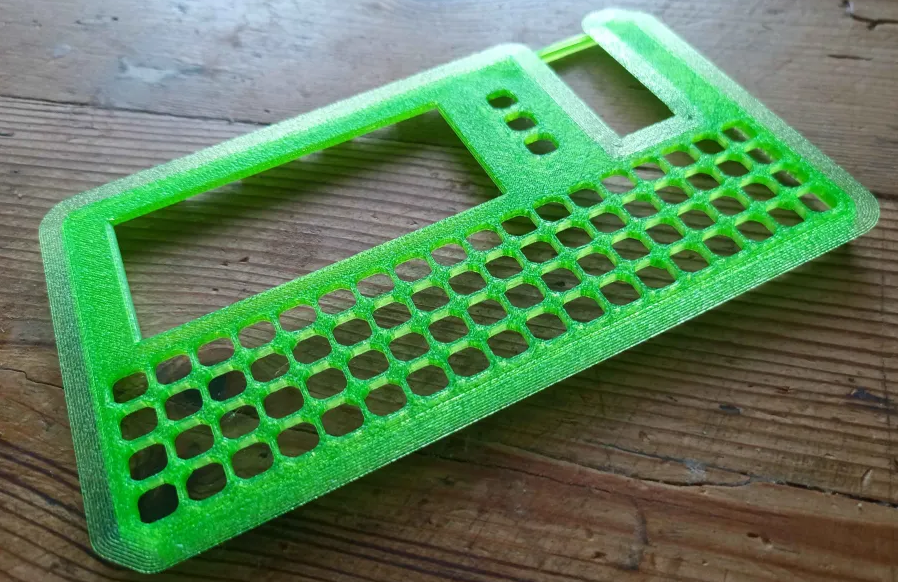
    not the best start!!! some of the finer details on the case back and all those cutouts on the front mean there isnt really that much plastic actually touching the bed from that first layer. so it started to come away, and the front of the case actually pinged off, all a disaster!!

    So after a regroup, I tried on normal quality settings, and added a brim to increase the contact point, and bingo bango we have a winner!!

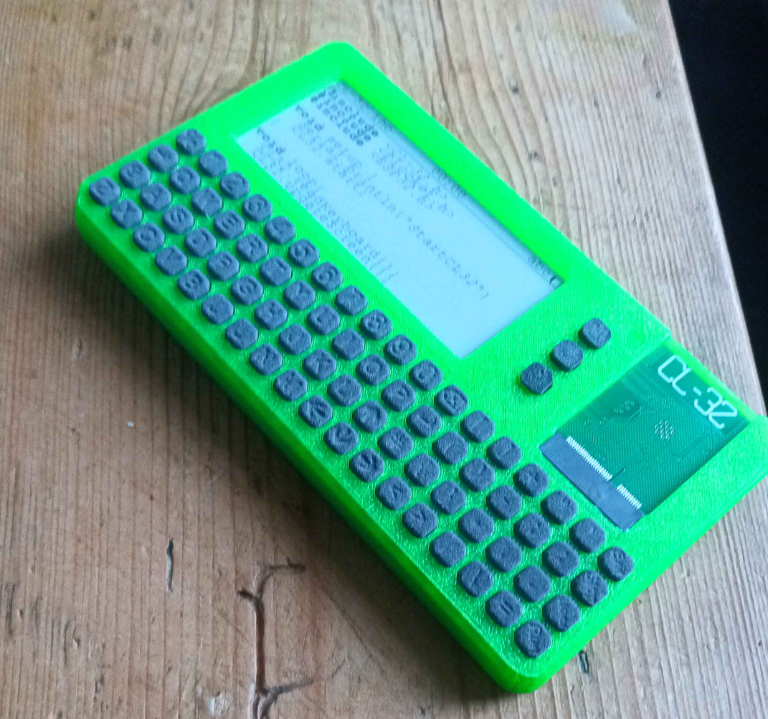
    the quality is actually fine. I have tried to design things so that they would be easy to transition to injection molding if a big crowdfunding campaign were to happen, so the way the case splits down the middle and the openings for the ports are all nicely on a top edge of each case half, so FDM manages that fine!

    The result is an eye popping case which actually doesnt quite feel as premium as the MJF printed case, but is very very usable

    Now, i wonder if i can FDM print that keyboard…๐Ÿค”

  • To latch.. or not to latch…

    So after my last post about the latch, someone over on Twitter (im not calling it X) said that it would be fun to make it work like a GameBoy power switch. For anyone unfamiliar the sliding action of the switch locks the cartridge in place.

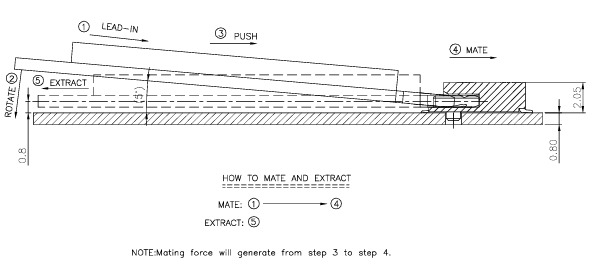
    I had a bit of a play with the CAD to see how that would work, and it might be possible. The latch would be on the thin side though, so I thought I would check the datasheet for the M.2 socket and see how it works

    Unlike the normal M.2 sockets I have come across in the past, once the card is slid fully into the socket, it no longer wants to jump upwards, and so that changes the way of thinking for the latching method.

    Im actually thinking that for small and light boards (like LED’s or sensors, etc) would be fine with just the grip of the M.2 socket. Anything like a LoRa board with an antenna or such might need something to stop it coming out (in the direction of 5)

    I think its time to get some of these add-on boards routed and ordered and see how it pans out.

  • What’s the catch?

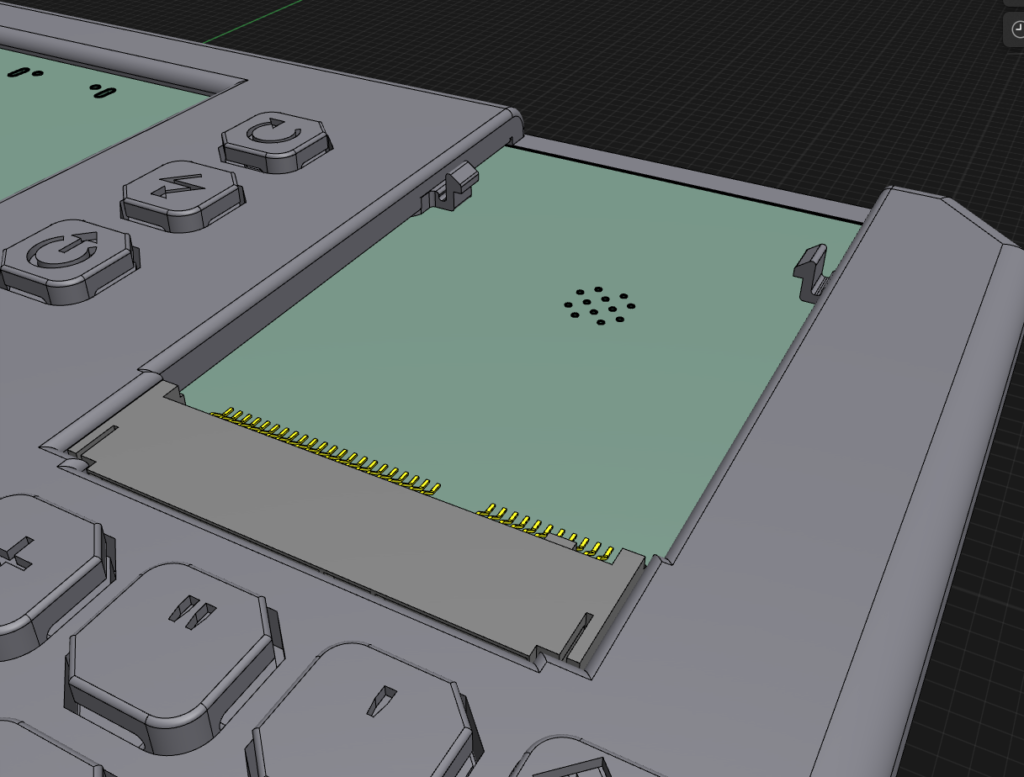
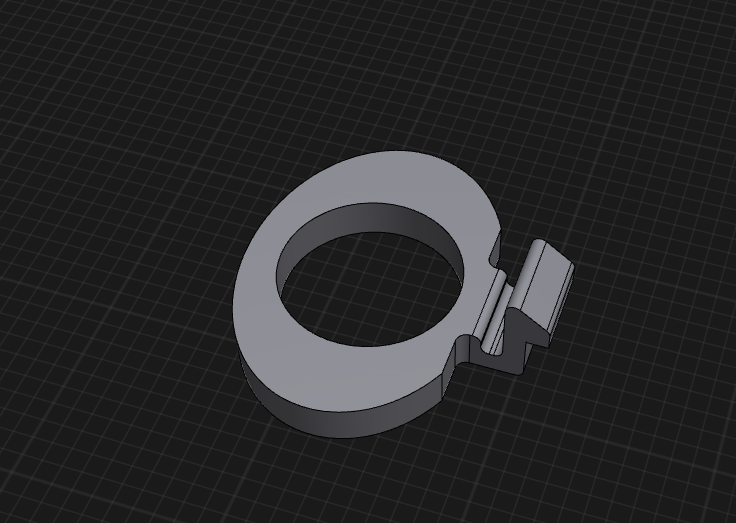
    So i want the add on boards to be able to be swapped without tools. The normal method of securing M.2 cards is with a screw, but that is easy to loose, and needs a small screwdriver which can be fiddly.

    My original plan was to have some little clips which would hold the board in place. The clips would be removable and replaceable in case of damage.

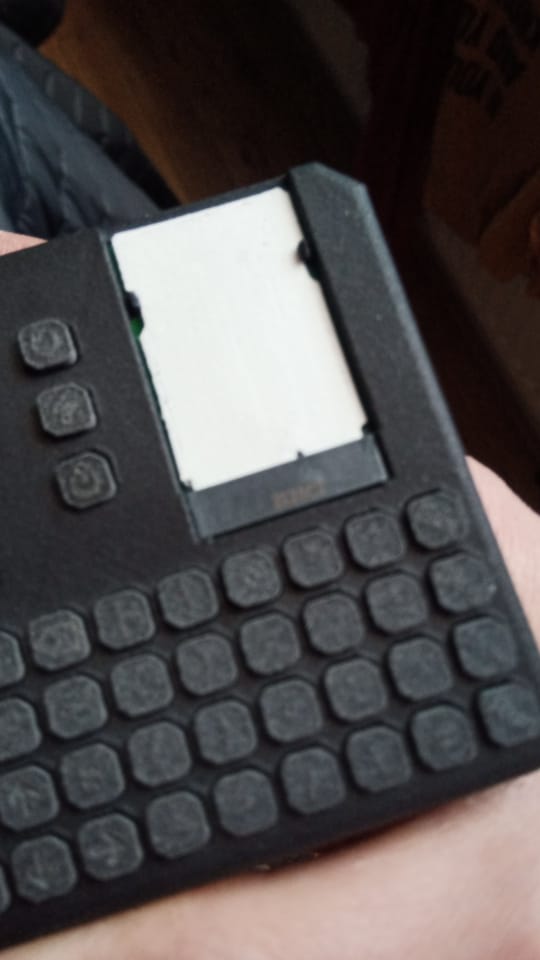
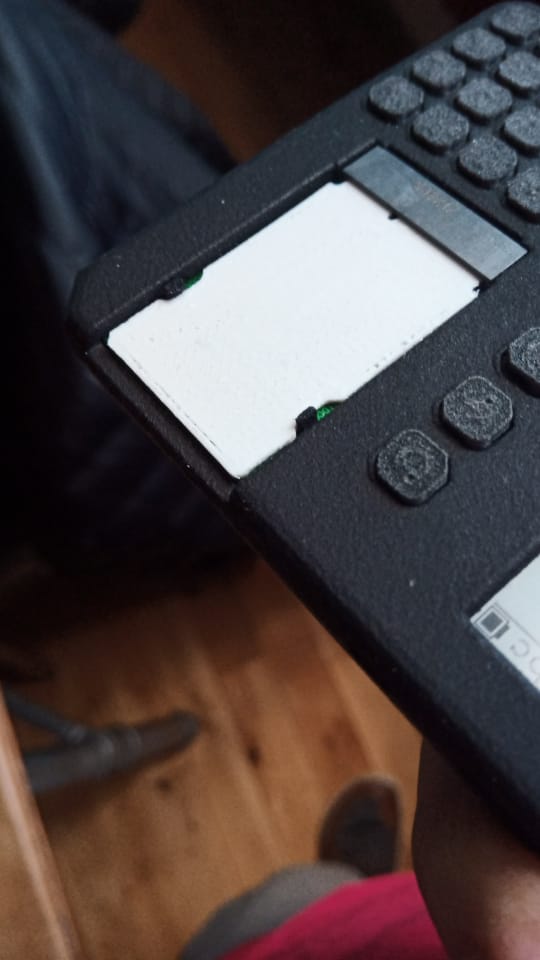
    The clips were included with in the last print, and they sure were small!! I wanted to get the mounting system sorted before spending too much time on the add on boards themselves, so i printed a dummy board for testing (please excuse the fuzzy photos)

    While the clips do work, they are super hard and tricky to unclip.

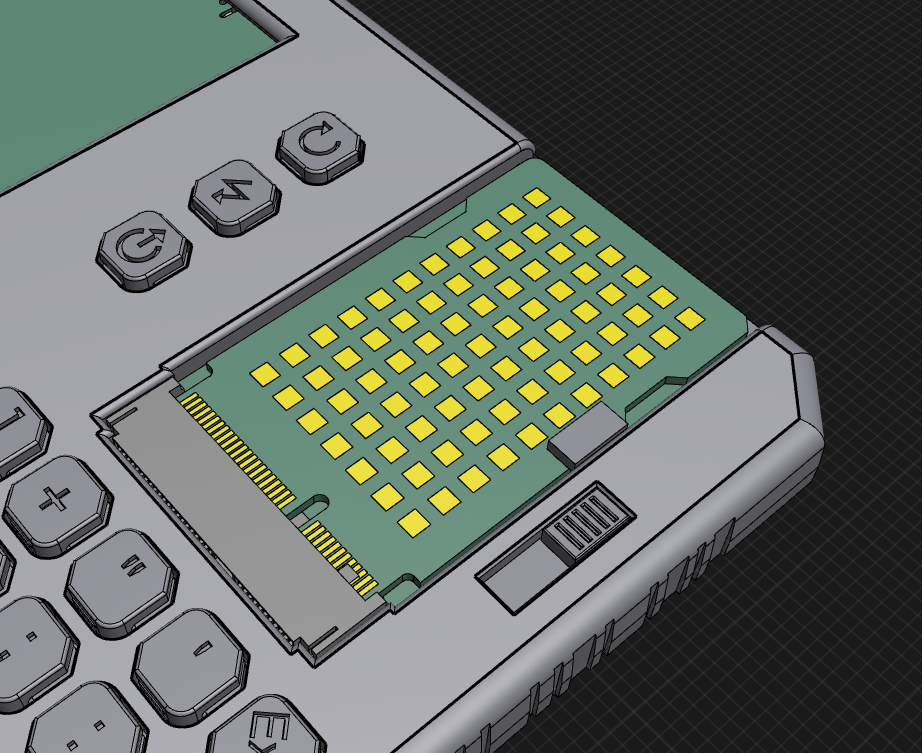
    So with some thinking happening, I have come up with another plan

    The add on board would of course need to be tweaked to move the cutout to suit, but i think it might be a better solution

    Might need some more thought/polish, but its already looking like a better solution…

  • Socially Acceptable?

    Soooo, the latest public events might make some folks want to take a break from social media. Im not going to get involved in the discussion about the events, but I am going to change things a little bit to make it so that you dont need social media to get the latest news.

    I am going to change the current mailing list to be a weekly update to give you all the inside scoop. I will also make another mailing list for the big news, like release information and such, that way you can stay informed without the weekly updates.

    I will still post on the socials too. As much as I dislike it, it really is a useful tool to spread word about the project, and get as many people as possible interested ๐Ÿ˜Š

  • Current state of play – January 2025

    So v0.2 is mostly good. The boards have a few little flaws, but nothing that stops them being usable. Here is the ‘snagging list’

    • 2 traces were a touch too close to one of the mounting holes, and so became broken during manufacture
    • one of the RTC pins was left floating, (didnt RTFM) stopping it switching over to backup power and so loosing the time when you power off the device
    • The screen connector is a bit too low for the higher resolution screen (they have slightly different shaped ribbons)

    I still need to check the STEMMA/QWIIC connectors, but i dont see any reason they wouldnt work

    The case has been tweaked to match the new PCB. It has been flipped round from last time, and so the PCB screws to the front of the device to endure that the keyboard is as rigid as can be. There is a new piece which attaches to the back of the PCB in order to hold the battery in place, as well as adding a bit more strength. The back of the case snaps on so that there are no visible screws.

    I have made an attempt at a mounting system for the add-on cards so that they can be added and removed without the need to tools. This turned out to be a little small, and so will need another look. Here is the ToDo list for the case

    • The back of the case was a little loose. I think this might be down to the shotblasting process that is done on the MFJ printed case. This needs some investigation
    • The battery holder is a little short, and needs a slight tweak to make the battery fit nicer
    • The STEMMA/QWIIC sockets need more clearance round them. I neglected to consider the size of the plugs!!
    • The add on board clip system needs a re-design to make it less fiddly and more robust

    As with the PCB, there isnt anything ‘show stopping’ but it all needs fixing

    The good work continues ๐Ÿ˜Š

  • Bit of spit and polish..

    So the site has had a little bit of a re-vamp. The information about the device has been spread all over the place so I decided to get things all in one place

    I have started to pad out the plan for the device in regards to specifications, software, and the add on system

    If anyone has any ideas or suggestions then feel free to drop me a line hello@cl-32-com